


Field Mapper
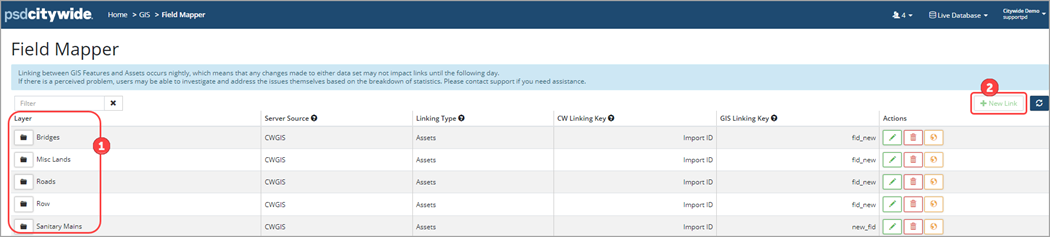
The Field Mapper is an administration tool used to create new field mapping layers within GIS. The feature layers available for mapping are shown on this page ❶. New feature layers can also be added with the New Link button ❷. Clients must have the Actionable Attributes functionality activated by Citywide to be able to create field mapping layers.
Actionable GIS attributes is a custom configuration designed to copy GIS data into pre-defined asset attributes. Once setup, the script runs nightly.
To set-up actionable GIS attributes:
- Create GIS tiered attributes in Citywide (Home 🢡 Attributes 🢡 +New Attribute)
- Setup Layers in GIS 🢡 Field Mapper
- Map GIS fields to Citywide GIS attribute
If the New Link button is not active, the folders to the left of the layer names will also be greyed out. The button is inactive when there are no valid layers available for linking.
If Actionable Attributes has been activated by Citywide but layers have not been setup on the Field Mapper page and the New Link button is inactive, then submit an implementation request through the database at the top right corner drop down menu. Click Create Support Request 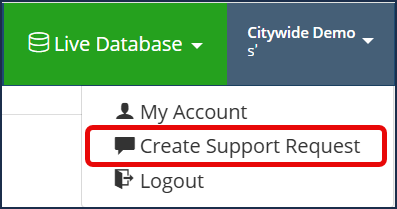 . The support team will provide you with a GIS Service Integration Info and Requirements form to complete so that layers can be created.
To add a layer (or if layers have not been setup):
- In the Field Mapper click New Link. The New Link button is only accessible to users with GIS update permissions.
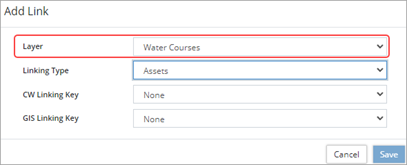
- Click Layer to select any remaining layer available for linking.
- Select a linking type (Assets or Properties). The available linking keys will change depending on the linking type
- Select a CW Linking Key. This is the data field in either the Assets or Properties inventory that will be used for linking an asset/property to a feature in the selected layer.
- Select a GIS Linking Key. This is the data field on a specific feature that will be used for linking to an asset/property in the selected layer.
- Ensure that the linking keys selected hold unique values among the Assets and Features to be linked. Click Save.
Create a Field Mapping Layer
Map GIS fields to Citywide GIS-tiered attributes once the layers are setup.
- In the Field Mapper expand the appropriate Layer ❶, click +New Mapping ❷.

- Select a Citywide Attribute (GIS) ❸. Only GIS tier attributes are available for selection.
- Select a GIS Attribute. Only GIS attributes that are not already linked will be listed.
- Click Save.
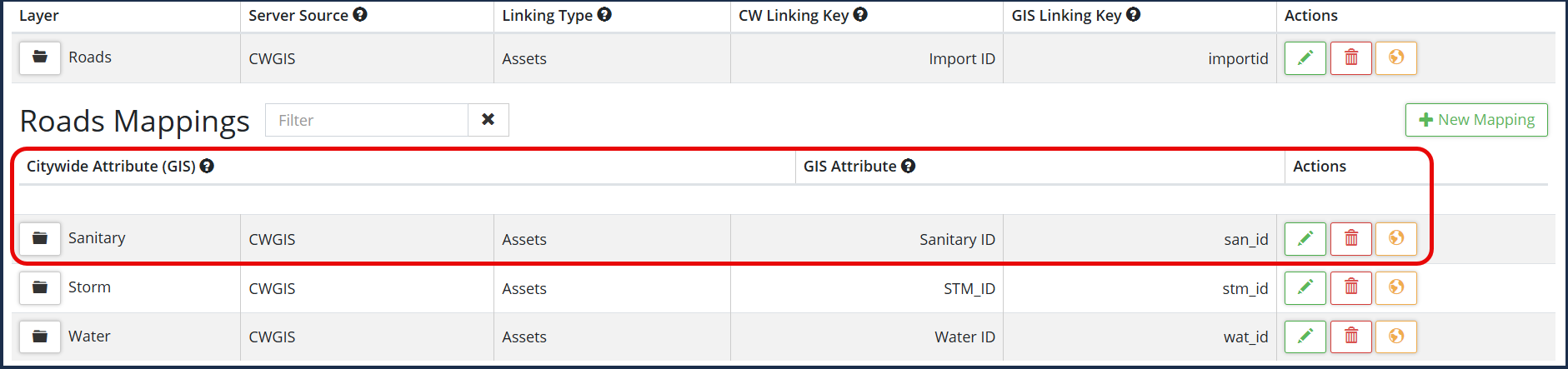
To edit/delete a field mapping layer: expand the appropriate Layer folder and click the edit icon  or click the delete icon


