GIS - Maintenance - Route Patrol

Sep 15, 2025
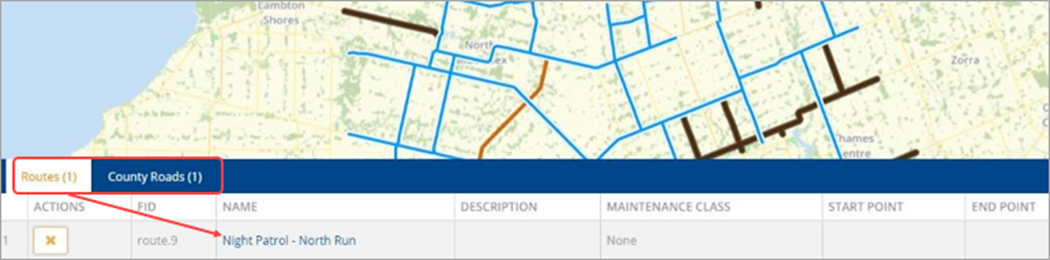
Clients using Route Patrol can attach road assets to routes which can be viewed in the GIS map. The Routes layer displays all routes configured in Maintenance-Route Patrol. Set the roads layer to visible to view the routes in reference to the roads. To display high-level information of a Route, click a route feature to bring up the attribute table.
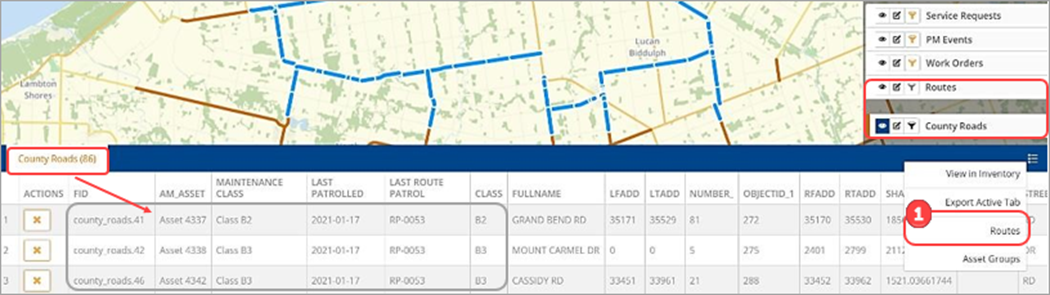
On the attribute table’s context menu clients can create asset groups or routes from the Maintenance-GIS map. Select the required road assets on the map and click Routes ❶ in the context menu.
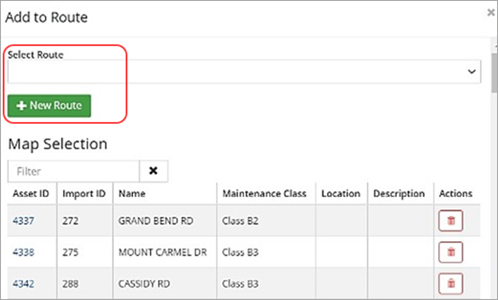
The Add to Route wizard opens and the assets can be added to an existing route or a new route.