

Coordinated IDs

Last updated: Jan 21, 2025
Overview
Coordinated IDs are used to group co-located assets together to perform average risk and condition assessments and reports.
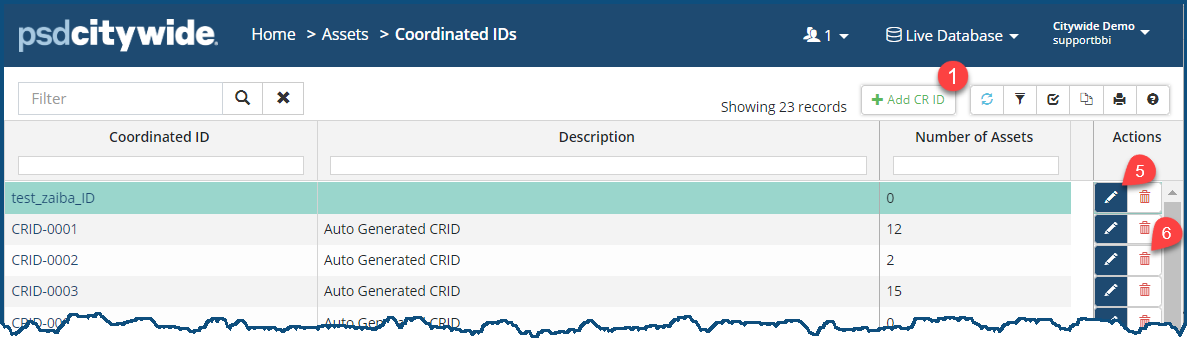
To add a new coordinated ID:
- Click the +Add CR ID ❶. The New Coordinated ID dialog box appears:
- Enter an ID and a Description ❷, or click on the Auto Generate Coordinated ID ❸ button to have the system create an alphanumeric ID.
- Click Add ❹ to submit the new ID.
- To edit an ID, click on the Edit icon
 ❺.
❺. - To remove an ID, click on the Delete icon
 ❻.
❻.


