


Deficiency Codes

Aug 01, 2024
View the list of predefined Deficiency Codes based on Ontario Road MMS. The deficiency codes can be selectively attached to each route as applicable, when creating a route. Only those deficiency codes that are attached to a route will be available to the patroller on the Mobile App to identify the deficiencies during active patrolling.

Create Deficiency Codes
In the example below, if the height of the road surface discontinuity is more than or equal to 5CM, the deficiency must be resolved within the MMS timeframe for the asset based on its Maintenance Class. If the height is less than 5CM, the asset is considered in a state of repair and the MMS is not triggered.
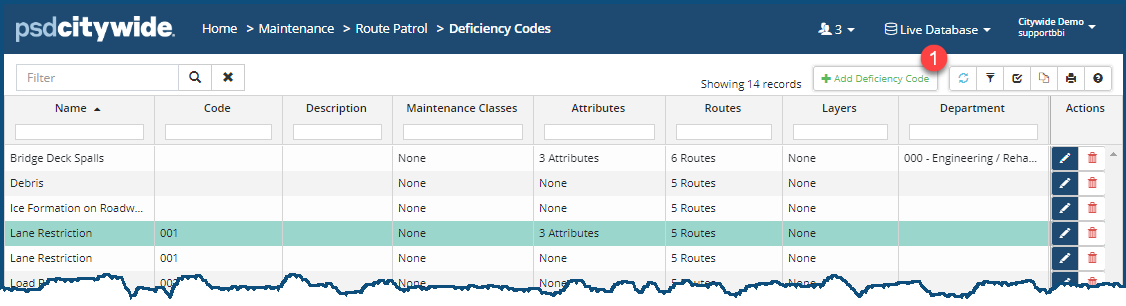
- Click +Add Deficiency Code ❶. The Edit Deficiency Code dialog box appears:
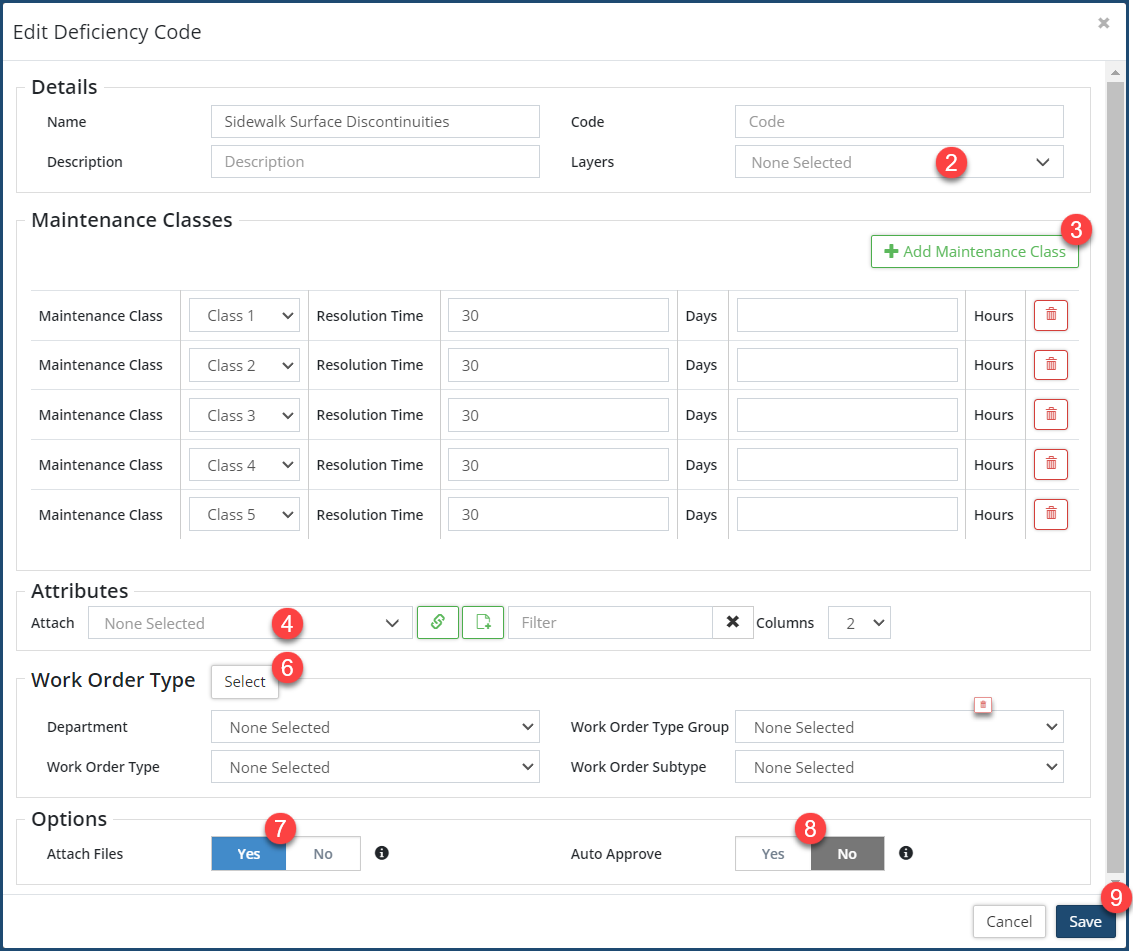
- Enter a Name, Code and Description for the deficiency.
- Attach a linked asset Layer ❷ to the deficiency for quick selection of the asset from the map.
- Click +Add Maintenance Class ❸ to Configure the MMS stated Resolution Time for addressing the deficiency on assets by maintenance class. When the Work Order is created to address the identified deficiency, the system will calculate the target time for completing that work order based on the Resolution Time from the asset’s Maintenance Class, starting from the time the deficiency has been recorded.
- Assign Attributes ❹ as needed to each Deficiency Code to record the severity of the deficiency that will determine if the MMS has been triggered or not. The severity of the deficiency, say depth or surface area of a pothole, is the criteria for classifying the deficiency as an MMS-Deficiency or non-MMS Deficiency.

- Click
 ❺ to make the attached attributes mandatory.
- Click
- The Work Order Type for resolving the deficiency can be linked to the deficiency code by clicking Select ❻. This will auto-populate the WO type when creating a work order for the deficiency.
- Set Attach Files ❼ to Yes to allow for attaching pictures (taken by the device’s camera) or documents during the patrol.
- Set Auto Approve ❽ to Yes to allow deficiencies for this code to be automatically approved into a new work order.
- Click Save ❾ .
- Click Add ❿.
- To edit/delete a deficiency code click
 /
/  .
.


