Online Fee Payments

Dec 16, 2025
Overview
Citywide can integrate with various online payment services allowing customers to pay fees on line.
The Process
Citywide Initiation
The online payment process is initiated from the Fee Summary page in Citywide when:
The Request Payment ❶ button is clicked: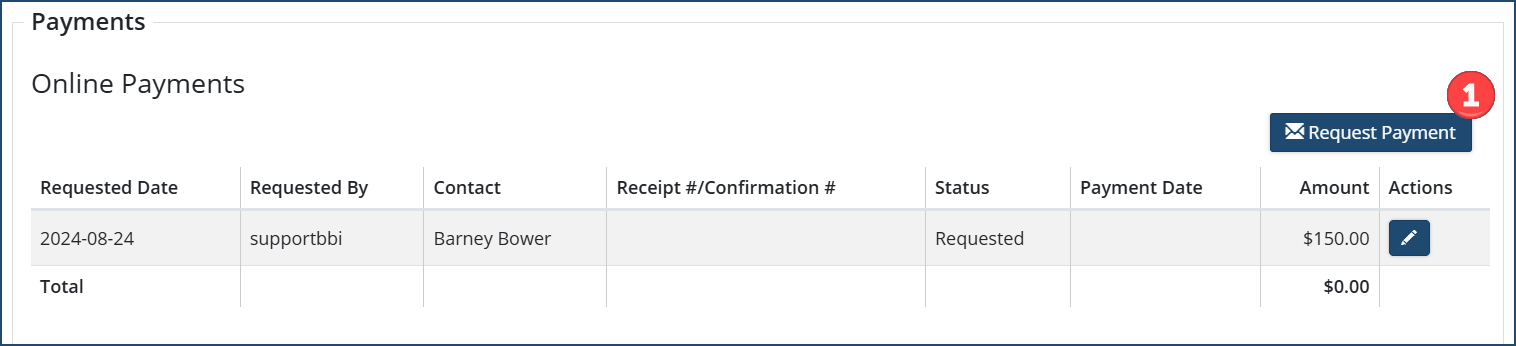
The Applicant ❷ in the resultant Request Payment is checked , and
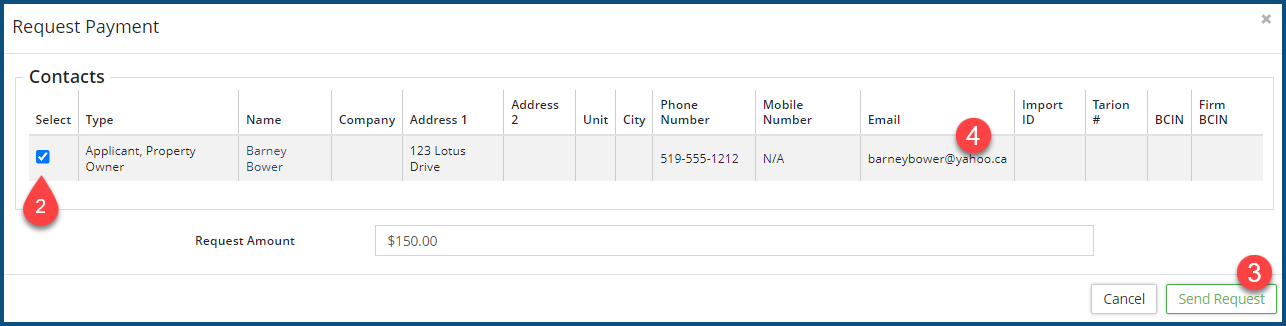
The Send Request button is clicked ❸. A payment request email will be sent to the Applicant's email address ❹.
Payor's Reception and Response
The email the payor received will look like this: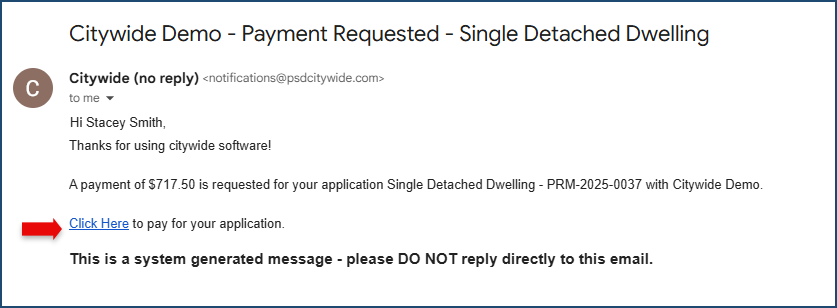
The Click Here link will connect to the integrated payment method online portal, where they fill out the payment details with information forwarded by Citywide
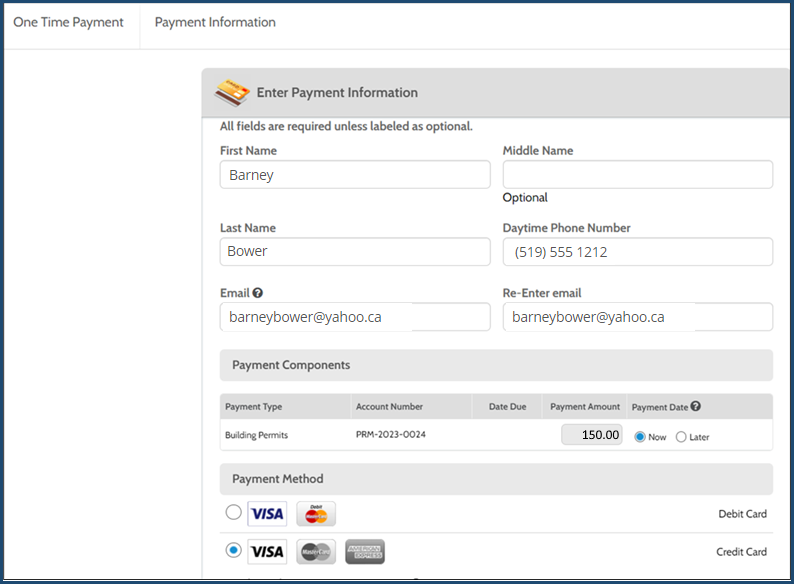
- Complete the transaction screens to ensure payment confirmation.
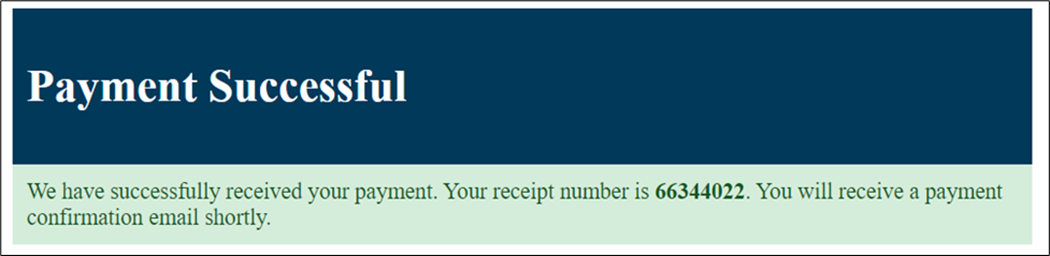
- The online payment software will generate a notice with a receipt number for a successfully processed payment. This same receipt number and payment will be recorded in Citywide.
- A confirmation email will be sent to the payor's email address.