Overview
Areas information is used in the system as a means of grouping and classifying service requests and work orders on the basis of local wards or zones. Reports and on-screen views can then be generated broken down by or filtered by, among other factors, area. Notifications can be sent to area-specific supervisors.
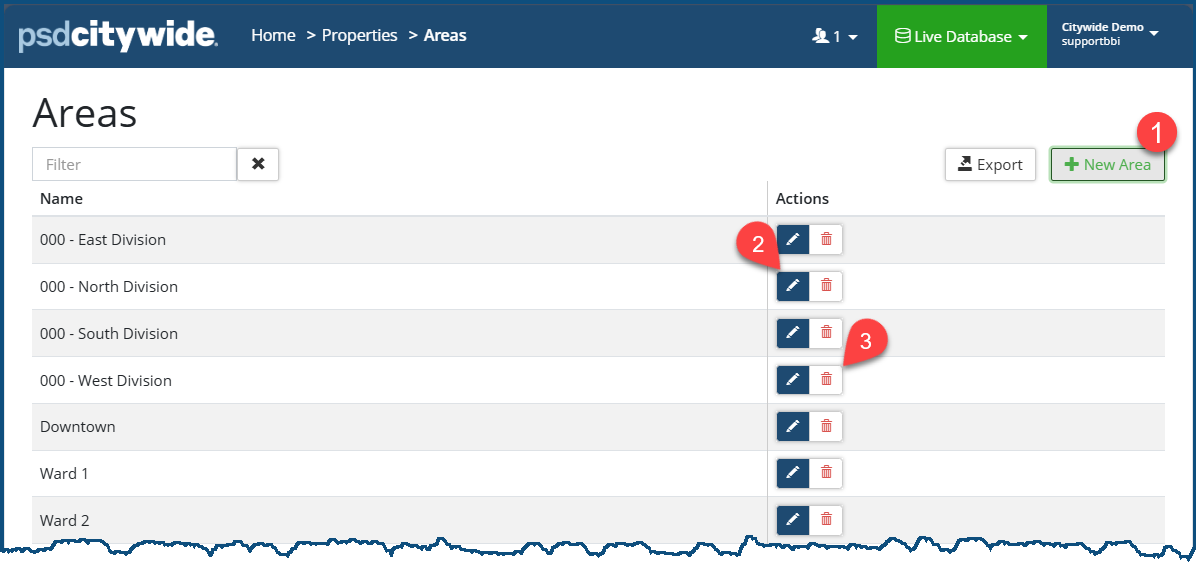
-
Areas are only available if enabled through Home 🢡 Preferences.
To add a new Area:
- Click +New Area ❶. The New Area dialog box appears:
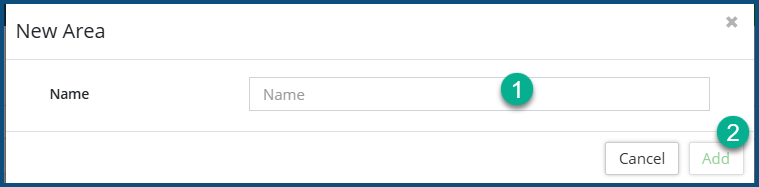
- Enter a Name ❶ and click Add ❷.
To rename an Area, click the Edit icon  ❷.
❷.
To delete an Area, click he delete icon  ❸.
❸.
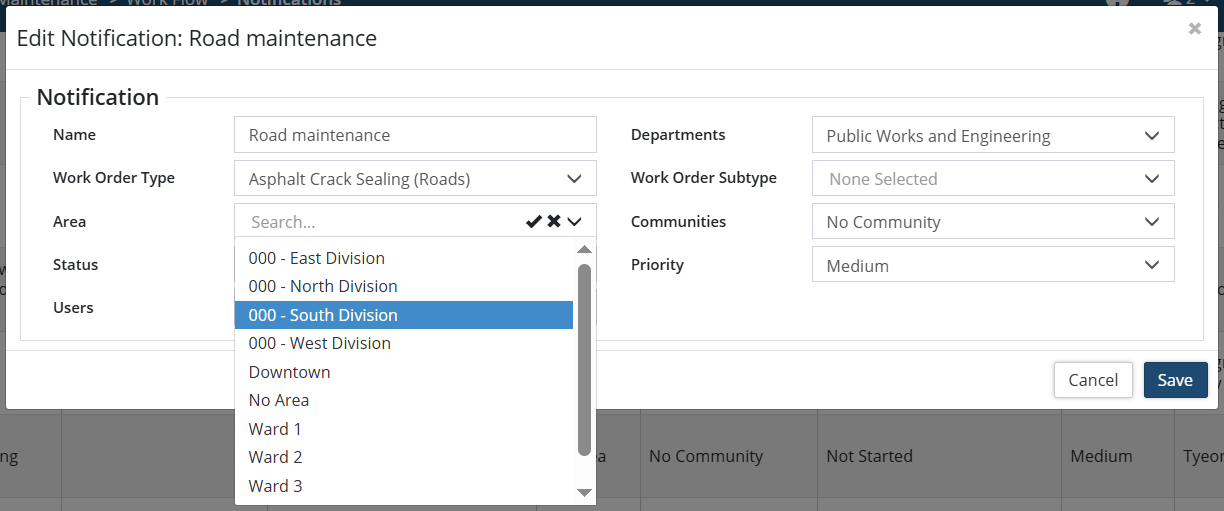
If Area is enabled for a database, it appears as an additional field in service requests and work orders. Maintenance reports can be generated on the basis of Areas (primary or secondary grouping factor). Notification rules can be set up for specific service request types and work order types by areas. See a Notification example below.