


Overview
Document Types are used when submitting applications for permit, licence or planning application types, where documents are listed and required as part of the application process. For example, building plans may be listed as a required document for the applicant to provide at submission or at any time before the permit is issued. The various document types may differ depending on your municipality's requirements for a permit or licence or planning application.
Before assigning required documents to the specific permit or licence or planning application types, you will need to define the various document types in Citywide first to select from.
- Navigate to Permitting > Document Types
- Click +Add

- Enter the 'Name' of the document
- Enter a 'Description' (optional)
- Enable the applicable Yes or No toggles for this document type (if available, hover over the information icon)
- Active
- Building Plans
- Show only in specific Citywide Modules as required
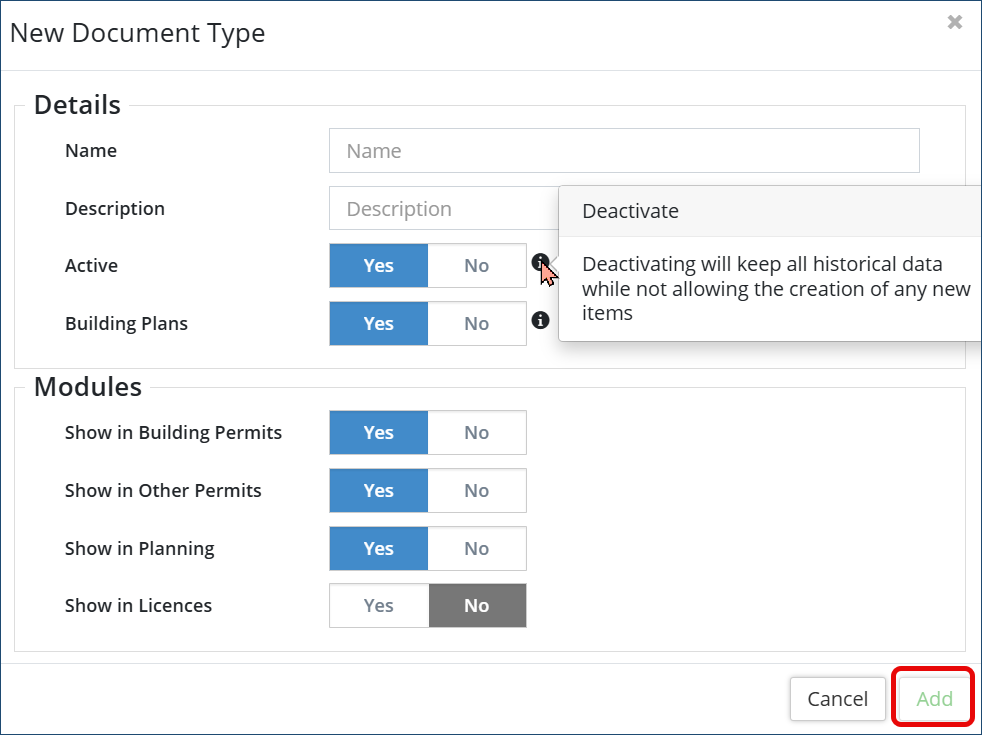
- Click Add
- Navigate to Permitting > Document Types
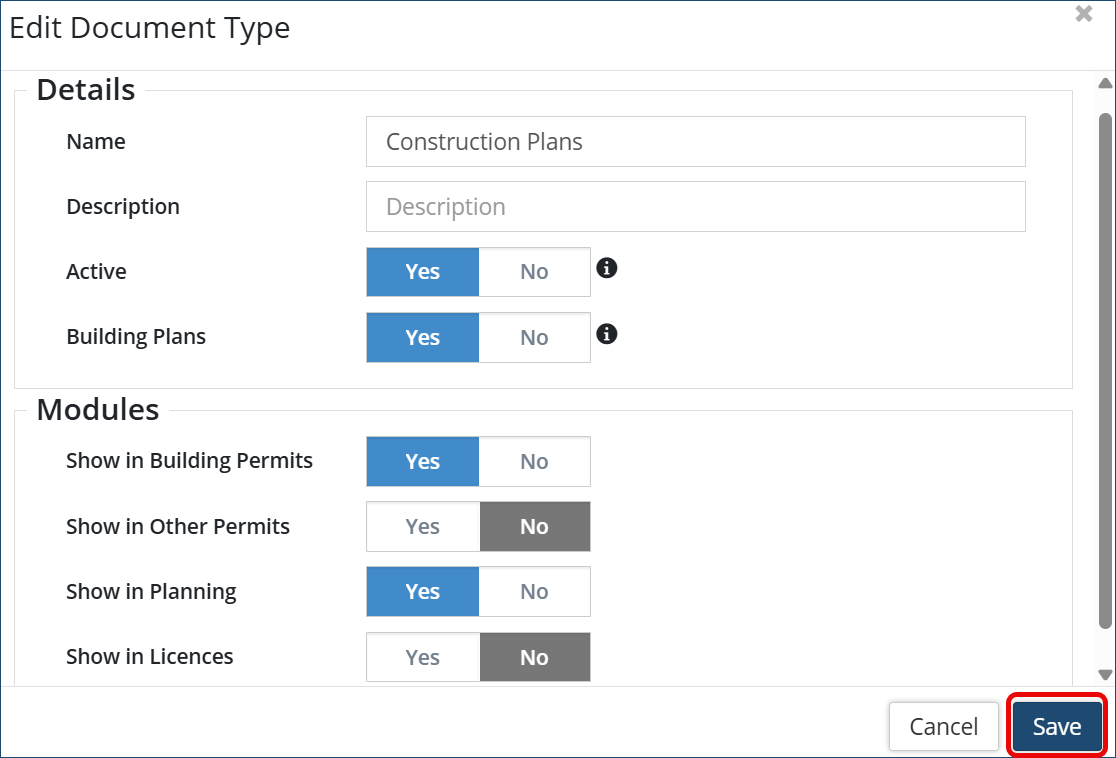
- Click the pencil icon
 of the document type you want to edit
 - Edit the appropriate field or toggle
- Click Save
Add a Required Document Type to a Permit or Licence Type
Once you have completed adding your various document types into Citywide, set up your permit or licence or planning application types with the required document type(s). To add the required document type(s) to the associated application type, please view our article on Permit Types or Licence Types for further instructions.


