


This article provides instructions on using the Rollover Operation in CWBC. The Rollover Operation allows users to copy any data from one Dataset to another, allowing for subsequent edits, modelling, scenario analysis etc.
Getting Started
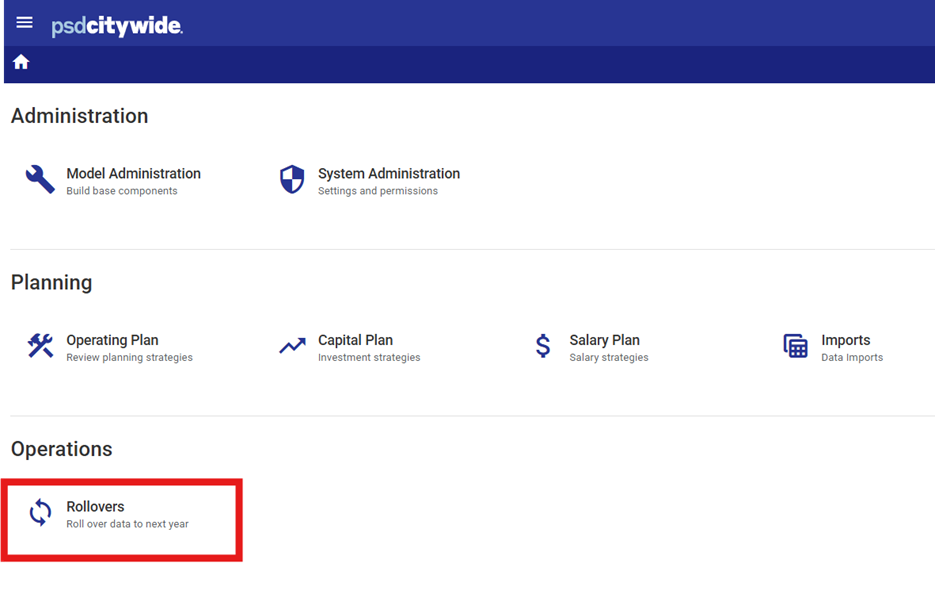
Navigate to the CWBC home page and select the "Rollovers" icon in the Operations section.
Choose a Rollover ID
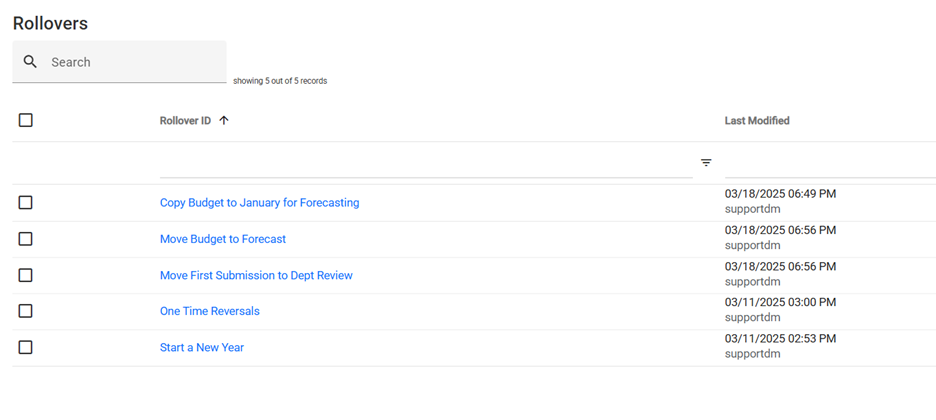
A list of saved Rollovers will be displayed (configured during implementation).
Users can select an existing Rollover ID, edit one, create a new one, or copy an existing Rollover to a new one.
Example
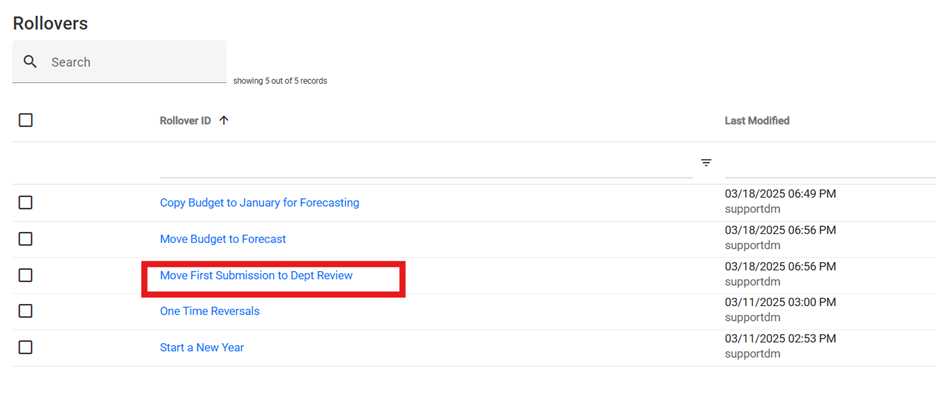
For example, there is a Rollover called "Move First Submission to Dept Review".
This is configured to move all budget data from the 1. First Submission Dataset to the 2. Department Review Dataset.
Rollover Settings
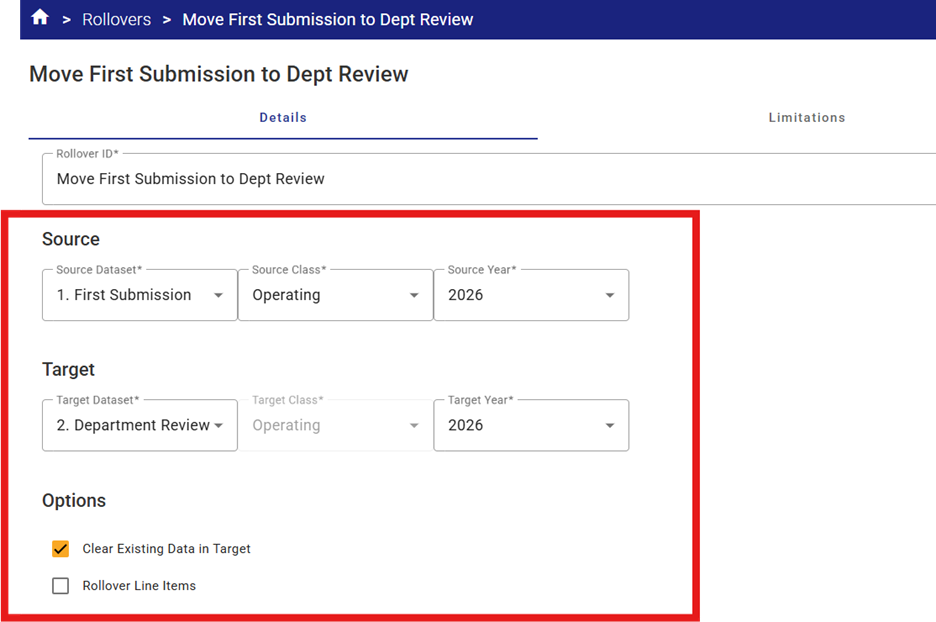
Before executing a Rollover, verify the Rollover settings:
- The source and target (set at 1. First Sub. And 2. Dept. Review in the default Rollover)
- The source and target years (set at 2025 in the default Rollover)
- The source and targe Class (Operating or Capital)
- Option – Clear Existing Data in Target is selected by default. Removing the flag may cause data errors as older data could be left in the database if not changed through the rollover.
However, if there is data that must remain in the dataset (i.e. when updating a specific cost centre for example, then this flag can be turned off) - Option – Rollover line items > if budgets are input the line item level, select this checkbox.
Rollover Limitations
Add any limitations required (none by default).
Column Targets
Check that the column/function setup is correct on the column tab (each budget-related columns should be set to Move from the source (First Submission) to the target (Dept. Review), and all other columns should be set to Ignore.
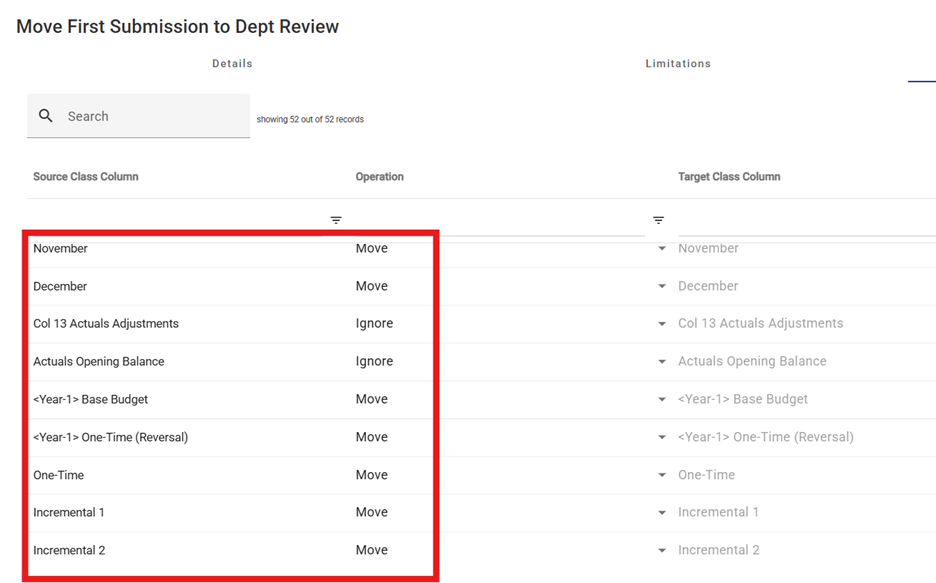
Function Options
|
Move |
Copies the Source column dataset to the Target column dataset (same column) |
|
Replace |
Copies data from the Source column dataset to another column in the Target dataset. If Replace is selected, the user is prompted to select the new Target column) |
|
Ignore |
Any data in the Source column dataset is ignored. No action is taken for that column in the Target dataset. |
|
Merge |
Combines (adds together) data from two or more numeric data columns in the Source dataset into a single column in the Target dataset (commonly used for merging all budget-related columns from the prior year approved dataset into a single “Base Budget” column in the Target database. |
Executing a Rollover
Once satisfied with the settings, select "Execute" option to run the Rollover operation.
Verification of Results
After the Rollover operation is complete, go back to Home > System Administration and add a new Dataset Lock for the source Dataset (i.e. 2026 Dept Submission in this example) to prevent any inadvertent edits to the data.


