

Wage Types

Last updated: Jan 22, 2026
The Wage Types screen is used to configure wage rates for Workers.
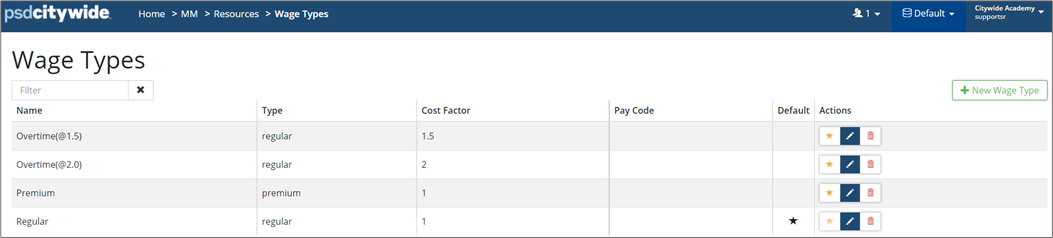
To add a new Wage Type:
-
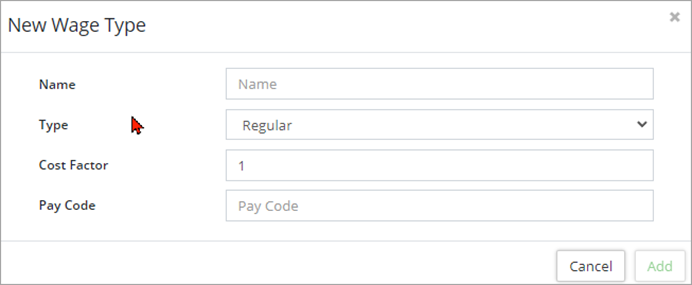
Click +New Wage.
-
Enter Name, Type, and Cost Factor Assign a Pay code as needed.
-
Click +Add.
-
Click Default
 to set a default wage type for work order labour check-ins.
 -
To edit an existing wage type, click Edit
 .
. -
To remove an existing wage type, click Delete
 .
.


