


Overview
External Service Request Follow Up Messages are configured within Maintenance > Workflow.
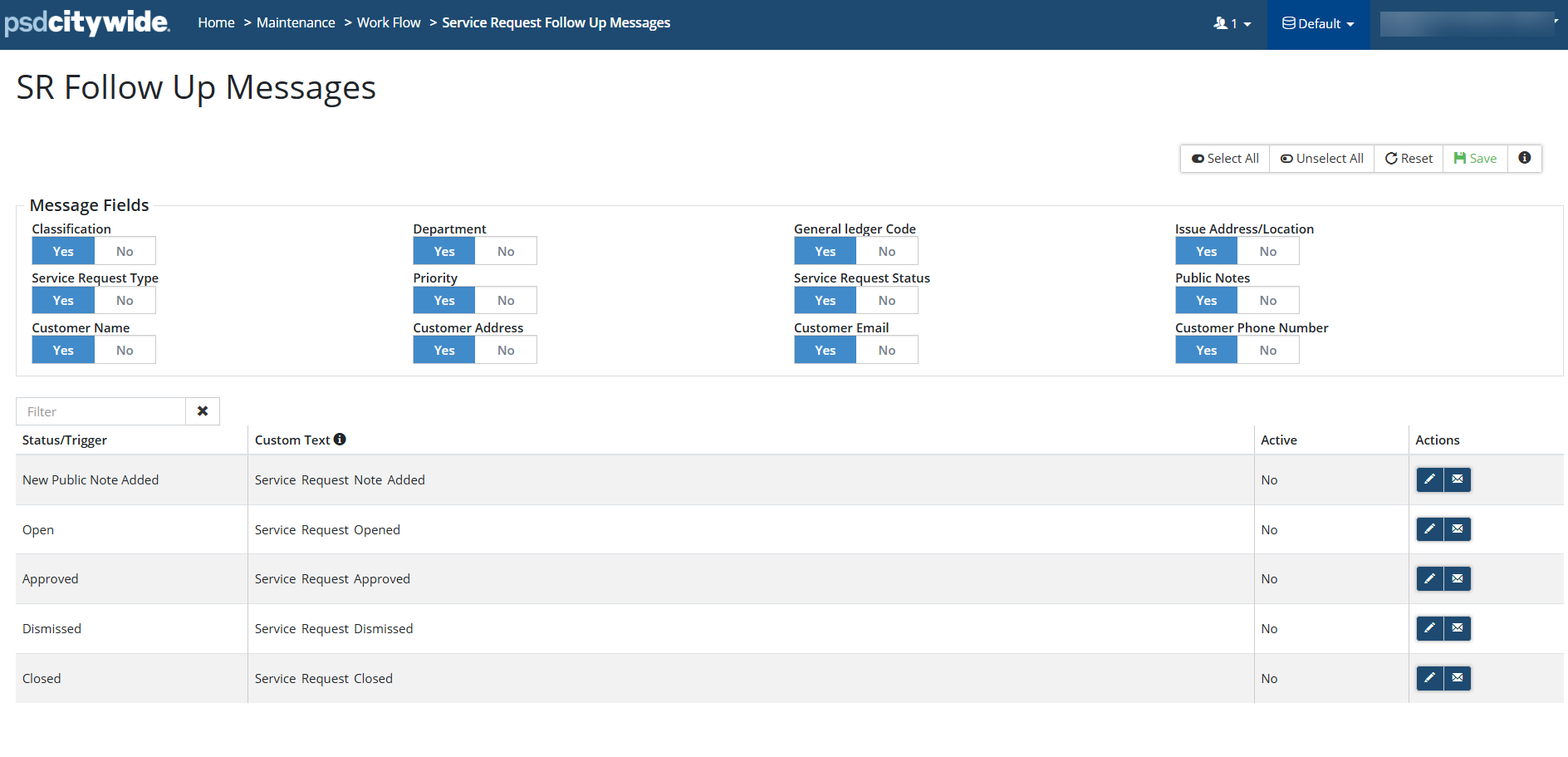
Service Request Follow Up Messages are notifications sent externally based on the status of a service request. For example, a message may be sent to a citizen who submitted a service request through the portal when the request status changes (e.g., Open, Approved, Dismissed, Closed and when New Public Note Added).
These messages keep requestors informed throughout the lifecycle of their submission.
Message Fields
SR Follow Up Messages can include specific service request details. Available fields include:
- Classification
- Department
- General Ledger Code
- Community
- And other related service request fields
By default, all available fields are displayed in the SR Follow Up message (the toggle is set to Yes).
Hiding Fields
To remove a field from the SR Follow Up Message, set the toggle from Yes to No. Save your changes.
Customizing and Previewing SR Follow Up Messages
Service Request Follow Up Messages can be:
- Customized to modify the message content.
- Previewed before publishing.
Both actions are available within the Actions panel.


