Locking Datasets is extremely important to protect data integrity and enable budget version control. You can lock Dataset in Operating Plan, Salary Plan, and Capital Plan.
When locked, data in the locked Dataset cannot be edited, regardless of the level of access set for a Dataset System Administration | Permissions | Roles settings.
Adding a Dataset Lock
To lock a Dataset against any updates (regardless of permissions):
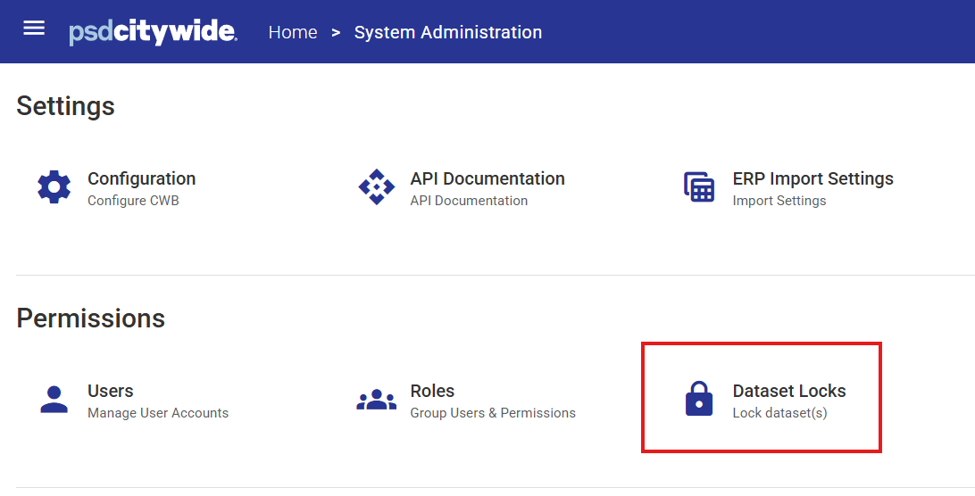
1. Go to System Administration > Permissions > Dataset Locks
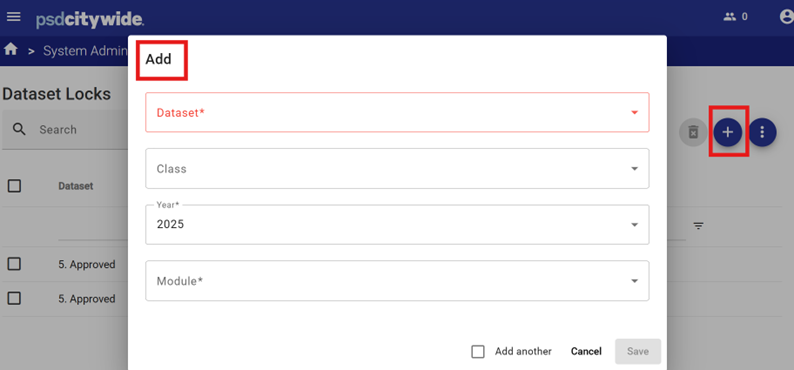
2. Click the Add button to add a new lock.
3. Complete the dialog box fields.
4. Click Save to enable the lock.
Note: If a user accesses a locked Dataset a warning banner will appear to advise them that the dataset is locked against update.

Removing a Dataset Lock
To remove a lock:
1. Check the checkbox next the enabled lock from the Dataset lock list.
2. Click the Delete button.
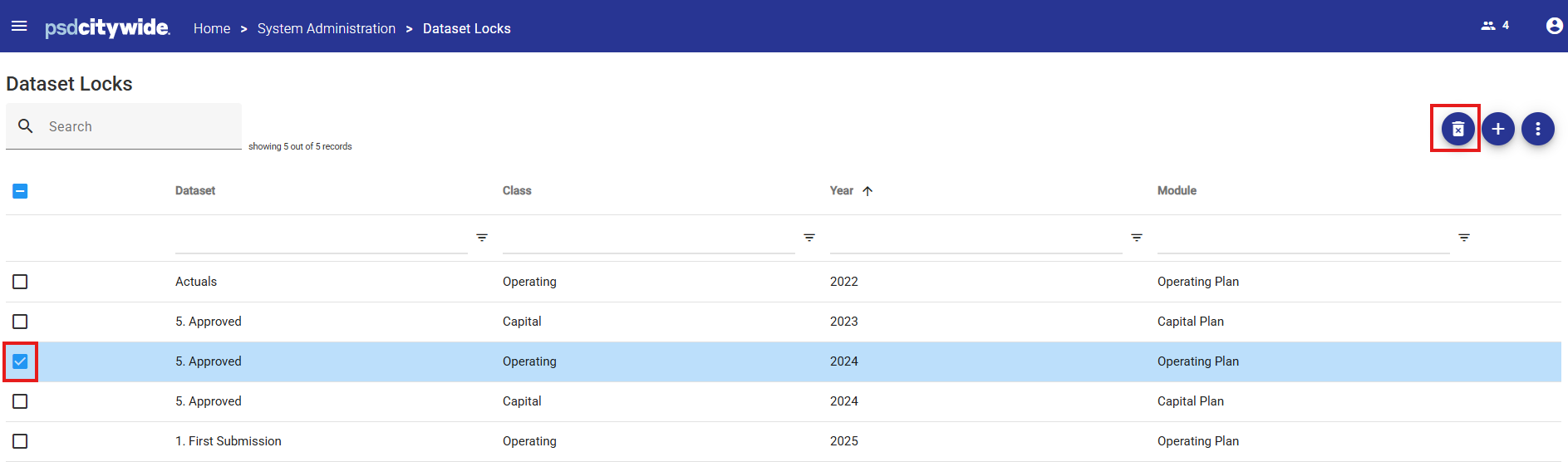
3. Click OK to confirm deletion.