

System Administration - Permissions - User/Role Relationships

Last updated: Sep 11, 2026
Assign a Role to a User
Open the User profile.
To select a Role a User must not have the major role Admin selected.
Click on the Role dropdown  list to see a list of available Roles.
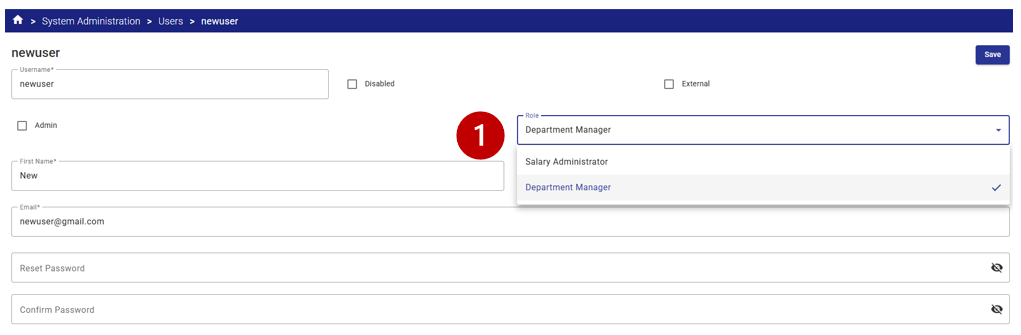
Select the appropriate Role from the List.
Click Save.


