


Citywide Spaces is an add-on module located within Citywide Assets and provides a centralized view of ‘spaces’.
It brings together facility information, asset management and maintenance activities to provide organizations with a more comprehensive view of their infrastructure; such as where assets are located, how facilities are performing and what maintenance activities are taking place.
Organizations can now summarize information around buildings, floors, rooms, parks, treatment plants and other operational spaces.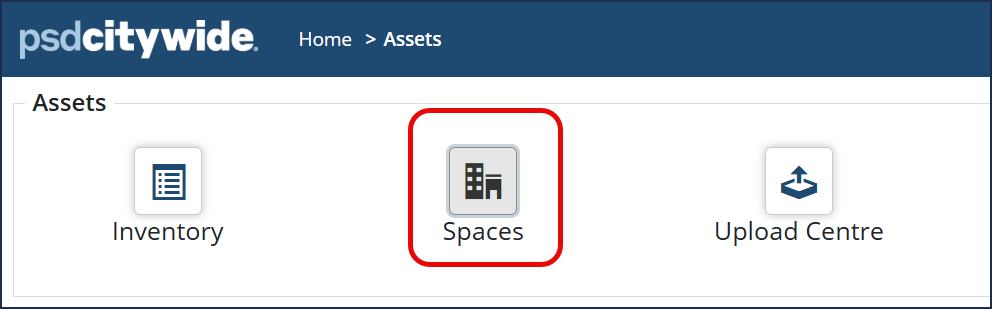 In addition to viewing individual asset information in Citywide Assets, the Spaces module allows you to manage an entire space by automatically gathering information from both the Assets and Maintenance modules such as:
-
Asset inventory
-
Asset condition
-
Risk assessments
-
Lifecycle planning
-
Preventive maintenance
-
Work orders
-
Maintenance costs
By combining lifecycle planning, condition assessments, risk management, maintenance history, and operational costs, it provides managers with a complete picture of everything happening within a ‘space’. It helps to make more informed maintenance and capital planning decisions while also gaining a comprehensive understanding of each space.
Understanding the Data
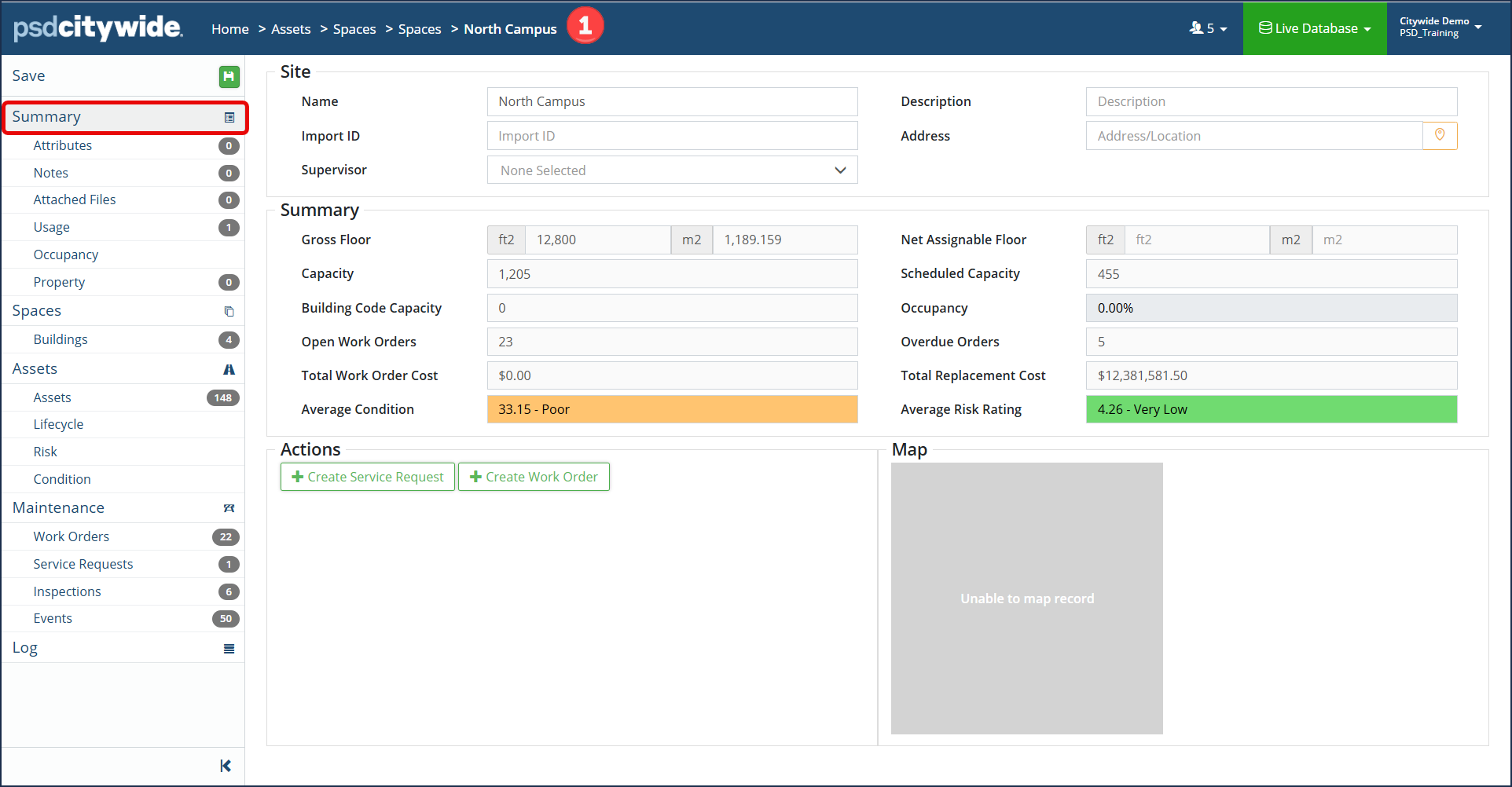
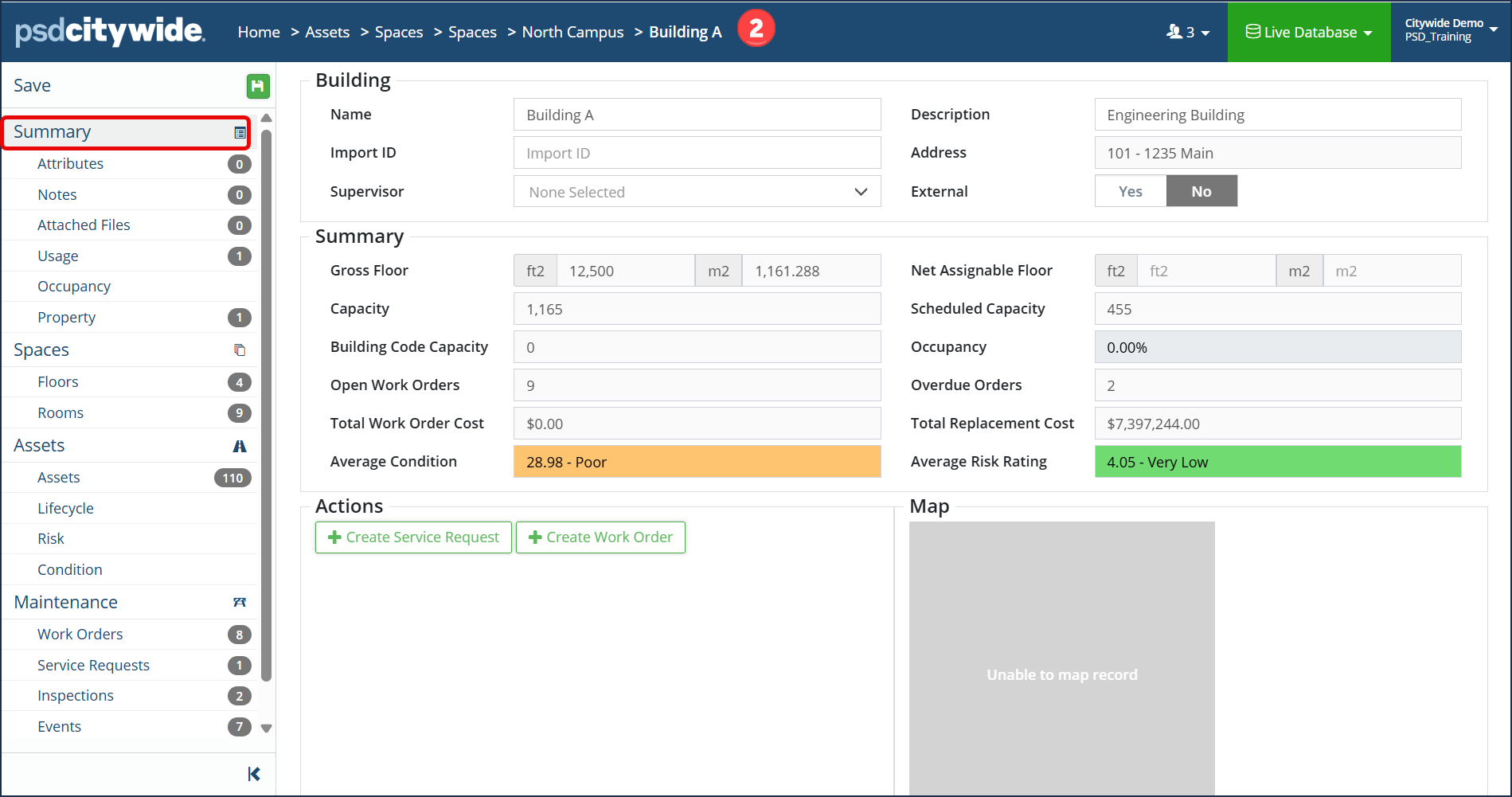
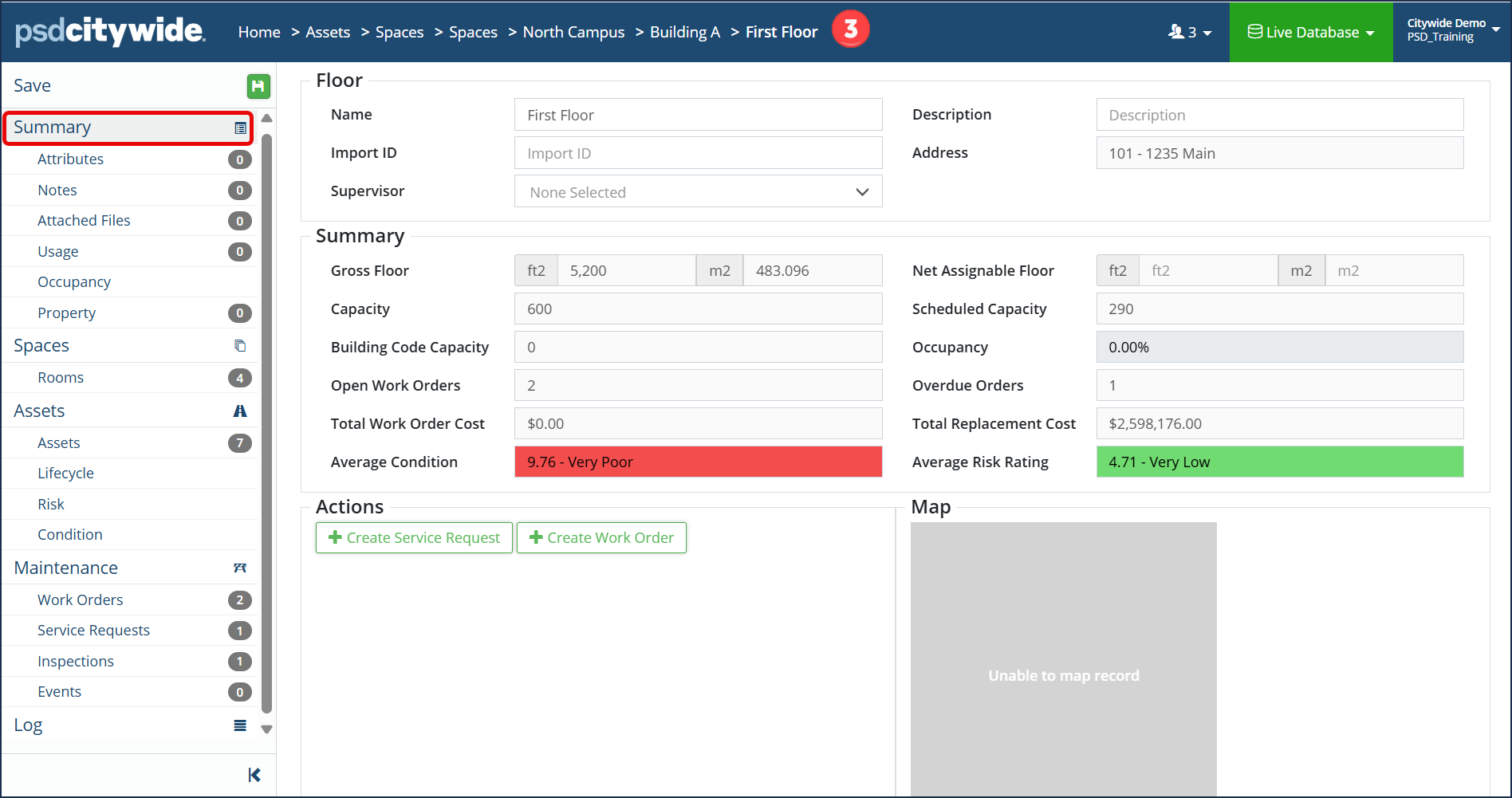
The Spaces module automatically gathers information from two existing modules: Assets and Maintenance and then summarizes this information at the space or facility level. For example, managers can review summarized data on each space:
- Total Replacement Cost
- Average Condition
- Remaining service life of assets within the space
- Average Risk Rating
- Total Work Orders & Costs
In the example screenshots below, you will see the summary information for the North Campus ❶ space as a whole, then each subsequent tier(s) and spaces will have its own summary (ie. Building A ❷, then First Floor ❸):
Spaces
Spaces are organized as a hierarchy comprised of tiers and spaces. For example:
- Hierarchy = Type of Space (ie. Facilities)
- Tiers = Levels of the hierarchy (ie. Site, Building, Floors and Rooms)
- Space = Each defined space assigned to the respective tier (ie. Building A or Room 101)
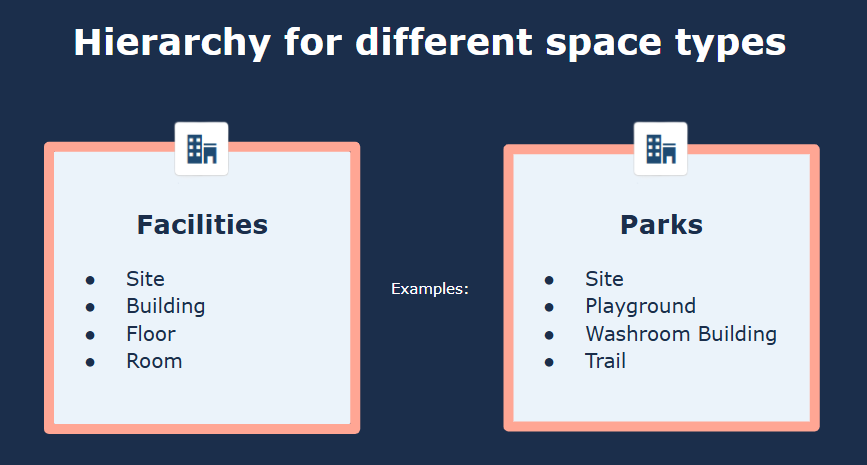
Further examples of spaces could be a park hierarchy with tiers such as trails, playgrounds, sports fields and buildings. A water or wastewater treatment plant can be organized according to its operational systems rather than traditional floors and rooms.
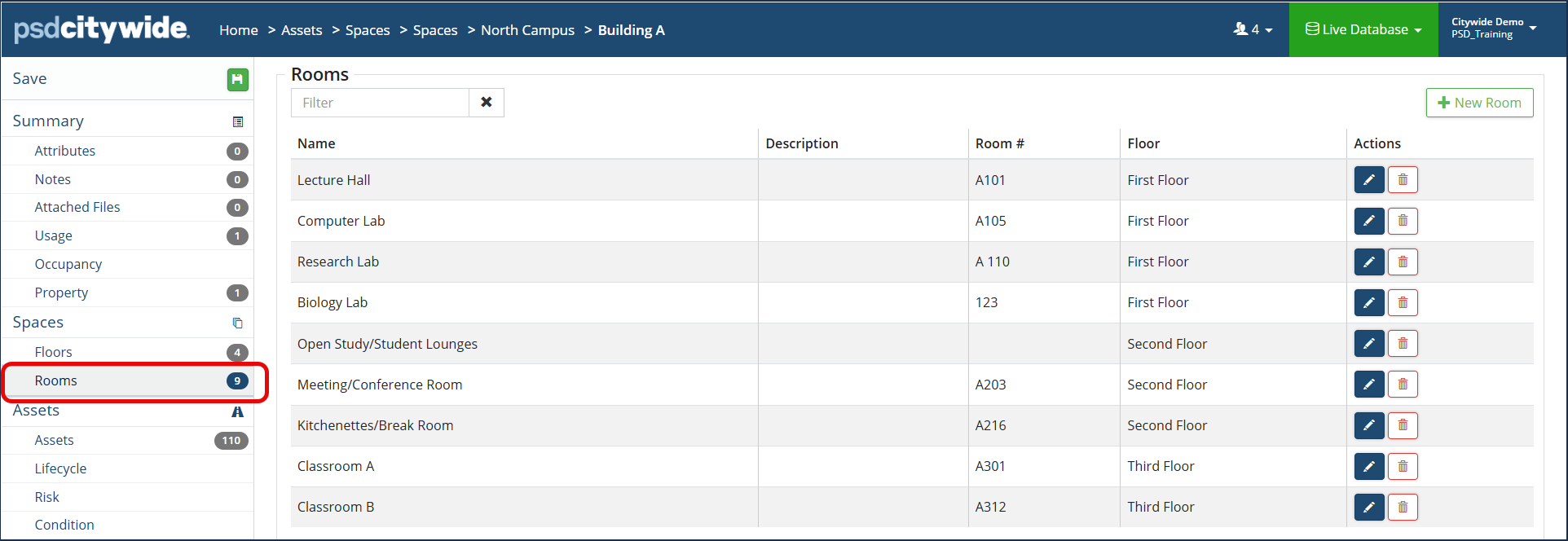
Users can view summarized details at each tier within the larger space. In the example below, the North Campus is a type of facility space and is comprised of 4 Building spaces: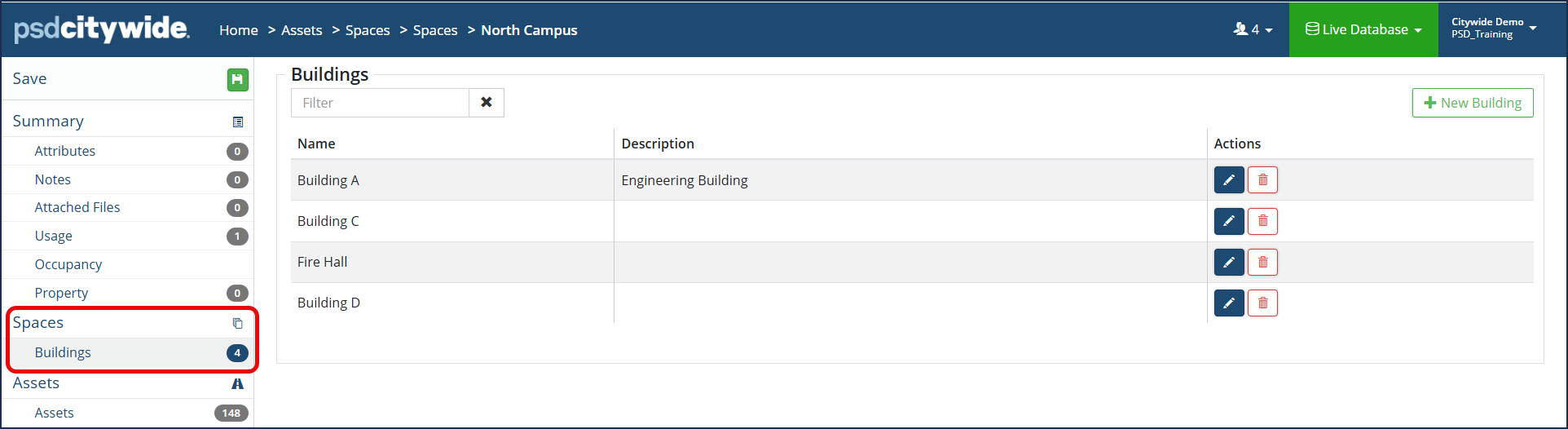 The Building A space, is comprised of 4 Floors and 9 Room spaces: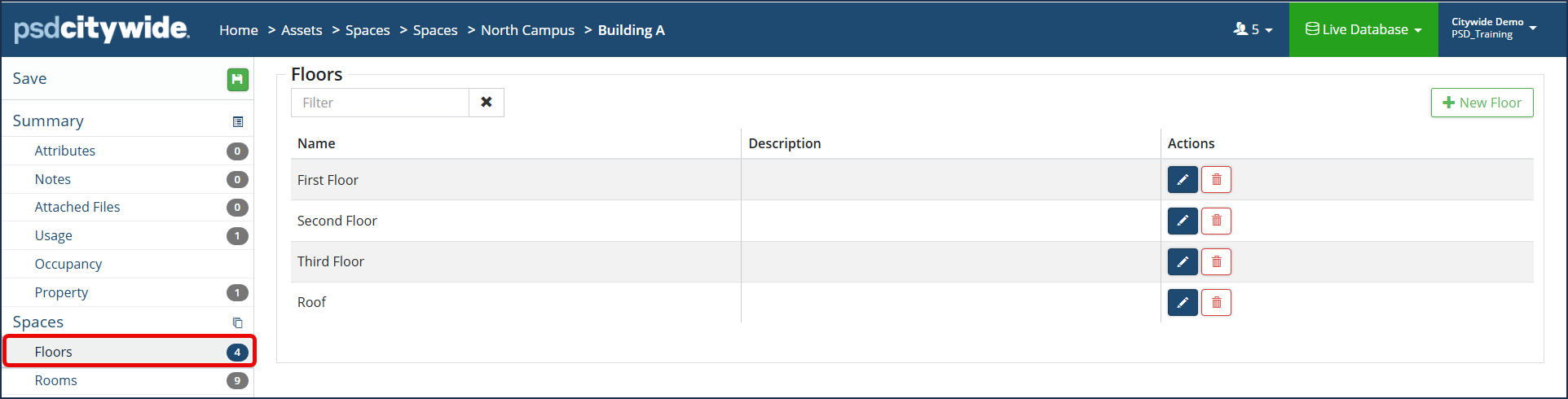
One or more assets are attached to each space, then the following asset data is summarized in each tier and ultimately rolls up to the larger space.
Spaces provides a consolidated view of upcoming lifecycle events for an entire space based on the assets attached to it.
Users can quickly identify assets that are approaching the end of their expected service life.
This can help maintenance teams identify assets that should be inspected before replacement decisions are made.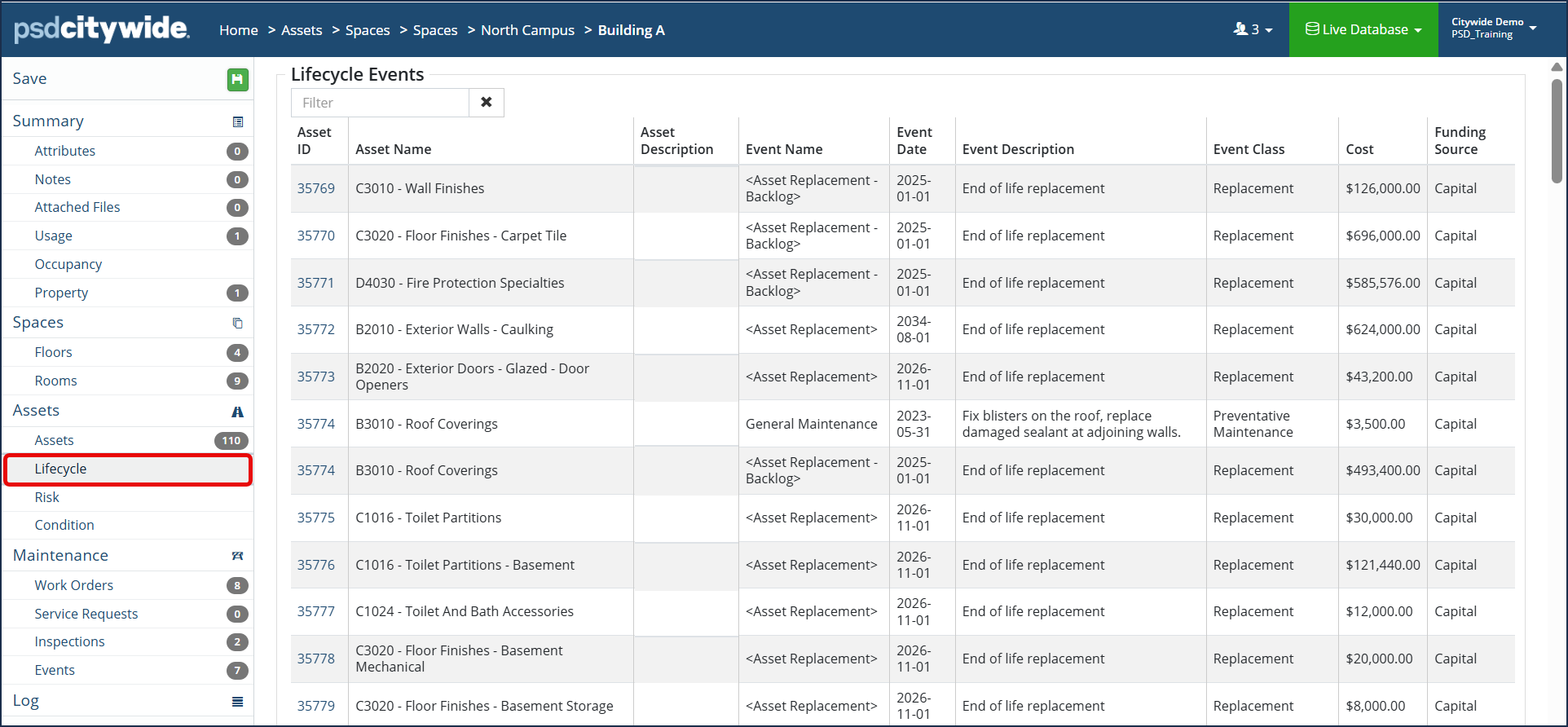
Asset Condition plays an important role in long-term planning.
When an assessment is completed, the actual condition will update the projected condition and can influence the projected replacement date in the lifecycle planning.
Assessed conditions on the assets ensures lifecycle plans remain accurate and reflect actual field conditions.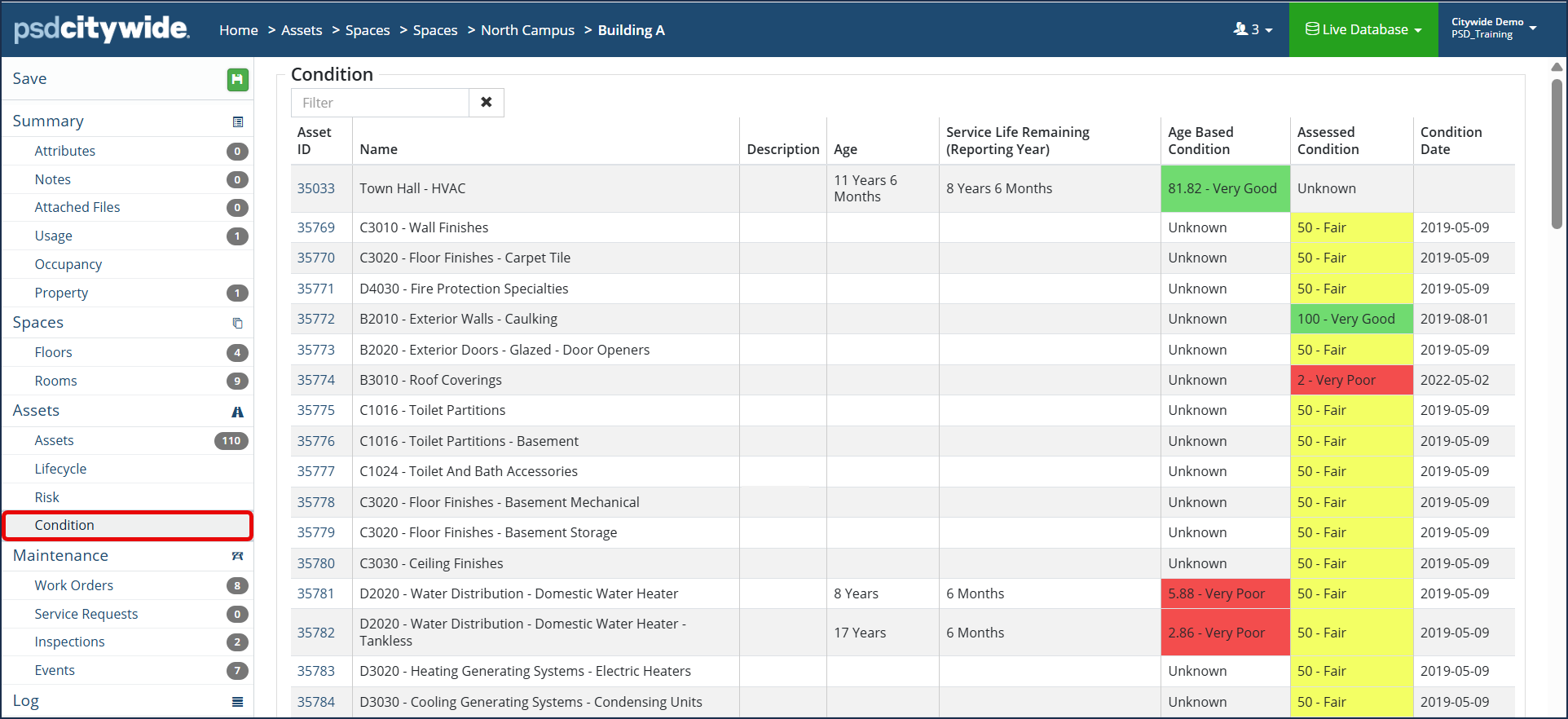
Every asset attached to the space and assigned to a lifecycle strategy includes an associated risk rating. Risk information may help to evaluate assets and prioritize capital projects as needed. For example, when two projects compete for funding, the higher-risk rating assets can be prioritized.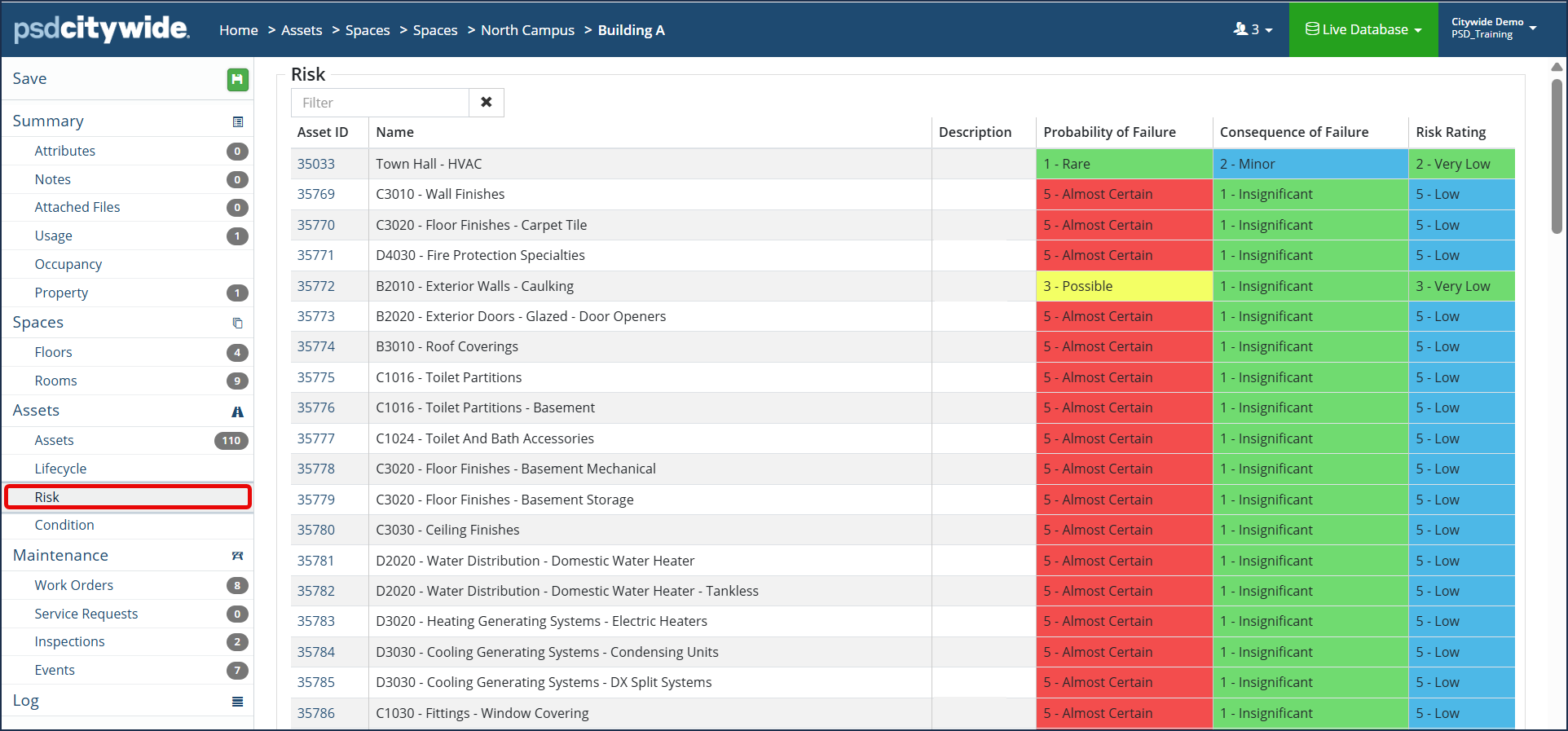
Work Orders, Service Requests, Inspections and Preventative Maintenance Events
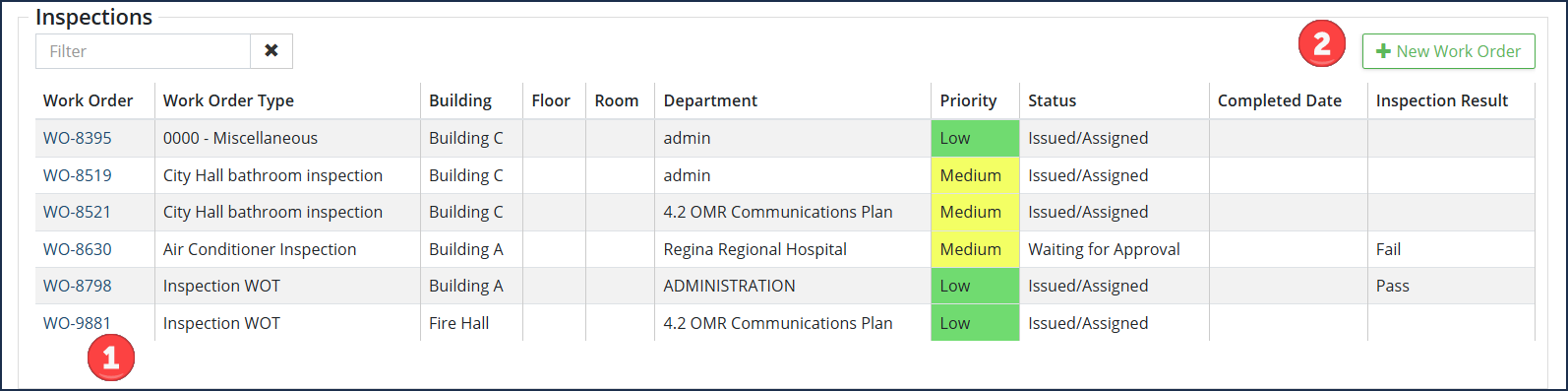
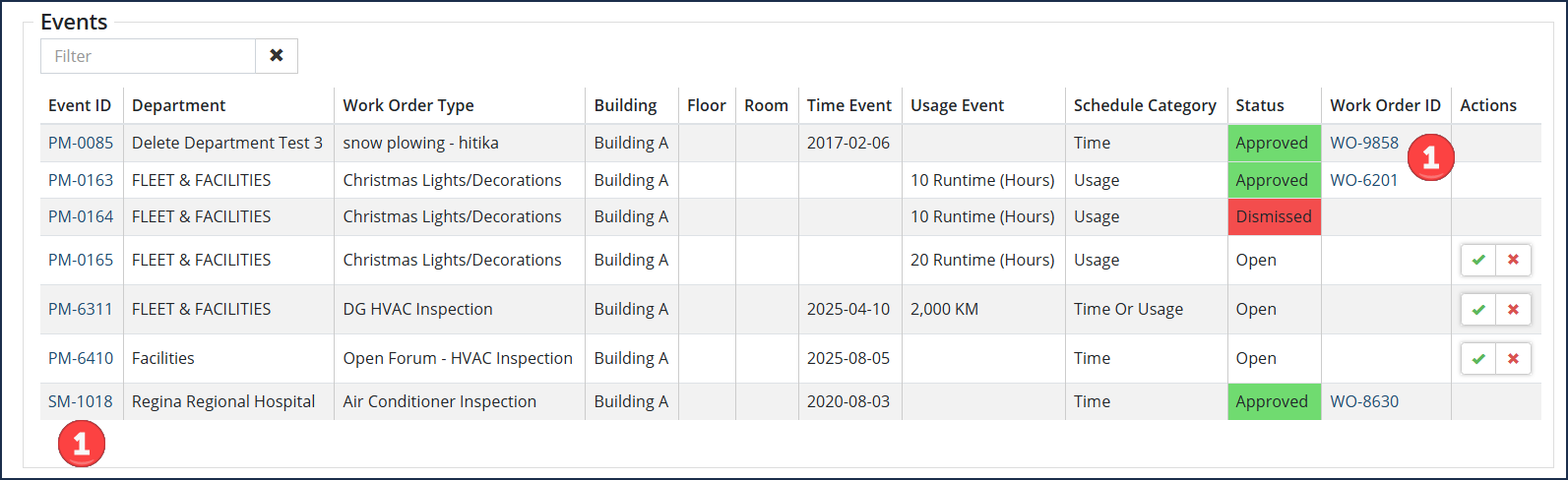
The Spaces module also collects maintenance information such as work orders, service requests, inspections and scheduled preventative maintenance events.
Whenever an asset within a space is attached to a work order, it is automatically associated to the space for reporting purposes.
This allows users to review maintenance history for an entire space rather than searching within individual assets.
Work orders, service requests and preventative maintenance events are linked ❶ directly in the Spaces module for easy access to view details in the Maintenance module. If desired, you can also add a new work order or service request ❷ from the Spaces module.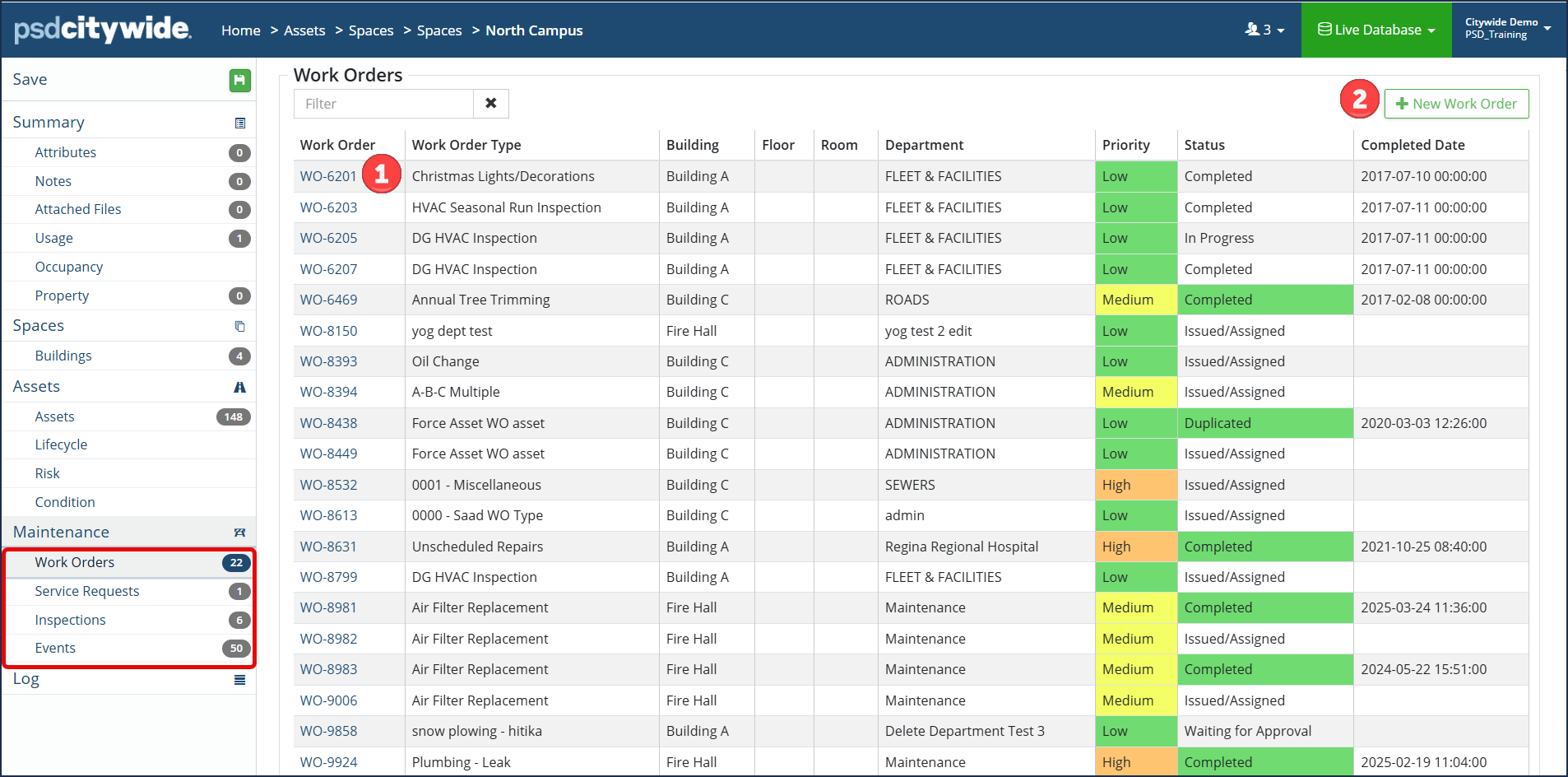

When Spaces are configured and assets are attached to the applicable space, the asset inventory grid will indicate an icon beside which assets are associated with a space ❶ . The Asset Inventory grid can also be customized to include the 'Space' column. Click here for further information on how to customize grid columns.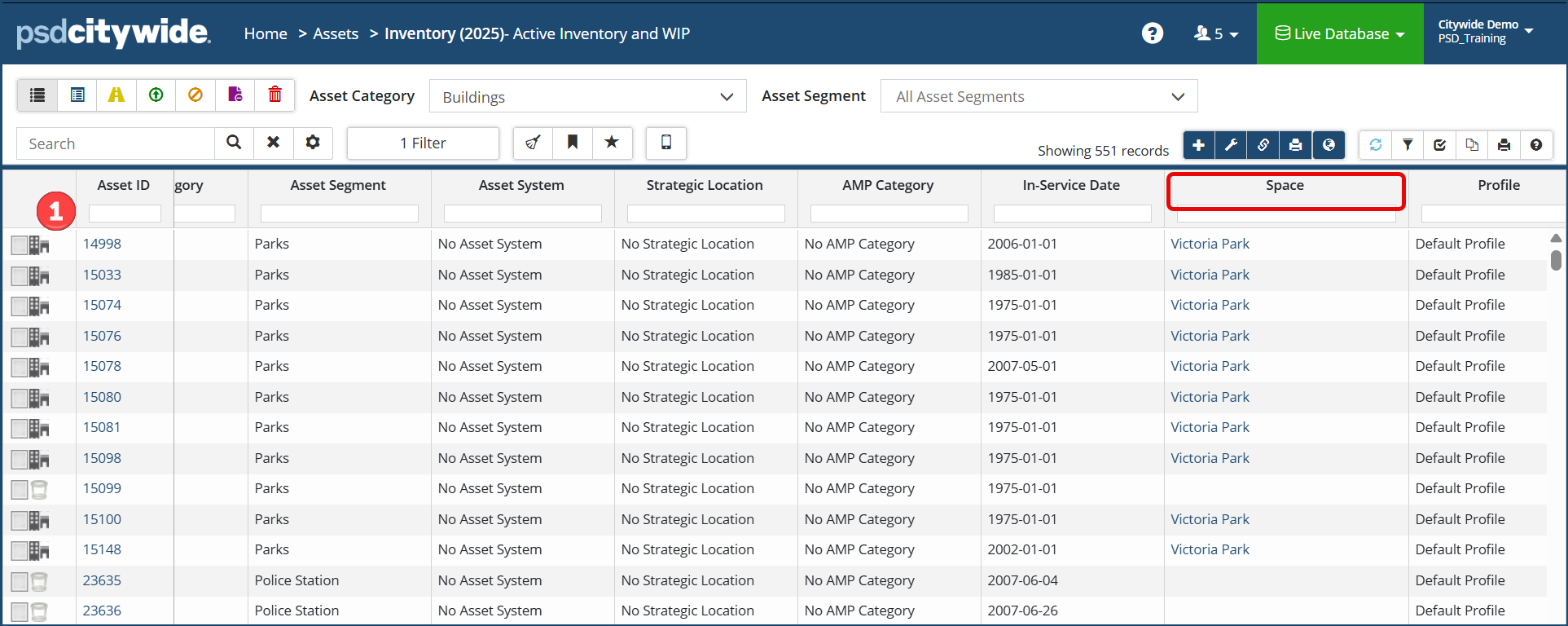
Administration
With Citywide Spaces, you can set up customized hierarchies that reflect the unique structure of different types of infrastructure.
For example, a municipal office building can be organized by building, floor, and room. A park can be structured around amenities such as trails, playgrounds, sports fields, and buildings. A water or wastewater treatment plant can be organized according to its operational systems rather than traditional floors and rooms.
The core components to configure in Spaces:
| Hierarchy | The top level category of the type of space (ie. Facilities or Parks) |
| Tier(s) | The level(s) within your hierarchy (ie. Site, Building, Floor or Room) |
| Space | Contains the details of each tier within the hierarchy. Each tier could have multiple spaces. |
Additional configuration components:
| Codes | Reference customized codes to the space (optional) |
| Usage Types | Define utility usage types to include on the space |
| Notifications | Set up email notifications in Citywide for when Service Requests or Work Orders are created for any assets assigned to a space |
-
Step 1: Add the Hierarchy and define Tier(s). Click here for steps on how to add a hierarchy and its tiers.
-
Step 2: Add each space within your tier(s). Click here for steps on how to add a space.
-
Step 3: Attach assets to your space. Click here for steps on how to attach assets to a space.
-
Optional: Click the help article link(s) in the above table to configure additional components like Codes, Usage Types and Notifications as desired.
-


