

Reports (Spaces)

Last updated: Aug 20, 2026
Citywide Spaces offers several reports on the spaces. All Citywide reports can also be exported to Excel as required. 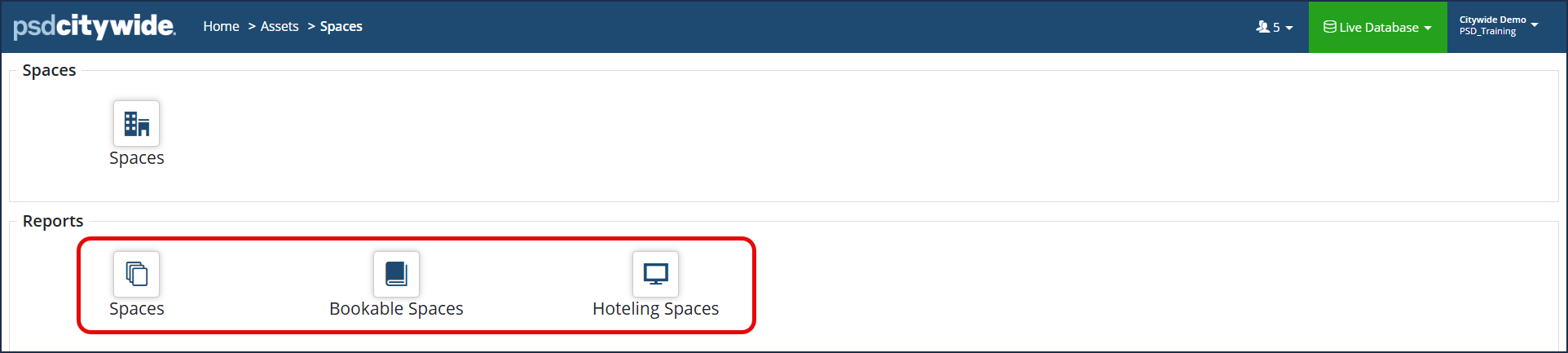
| Report | Description |
| Spaces | This report shows the list of all spaces and their details. |
| Bookable Spaces | This report shows the maximum bookable quantity in each space. |
| Hoteling Spaces | This report shows the maximum hoteling quantity in each space. |
- Select the desired report you want to run.
- Filter the report by selecting the desired Hierarchy from the drop down at the top left.

- Using the grid filters and customize columns, filter the report as desired. Click the 'Customize columns'
 icon at the top right of the grid and enable/disable the columns as needed (For further reference on customizing grid columns, click here).
- Using the grid filters and customize columns, filter the report as desired. Click the 'Customize columns'
To Export a Spaces Report to Excel
- Once your report is generated, click the Export Data
 icon.
icon. - The report will export to your computer's downloads folder. Open the file as needed.


