


Inspections can be associated with Spaces so that inspection activity can be viewed in the context of a physical location. When inspections are associated with a Space, users can access inspection information directly from the Space's Maintenance records.
Viewing Inspections from a Space:
- Open the Spaces grid.
- Select the Space you want to review.
- Navigate to the Maintenance section on the left hand panel.
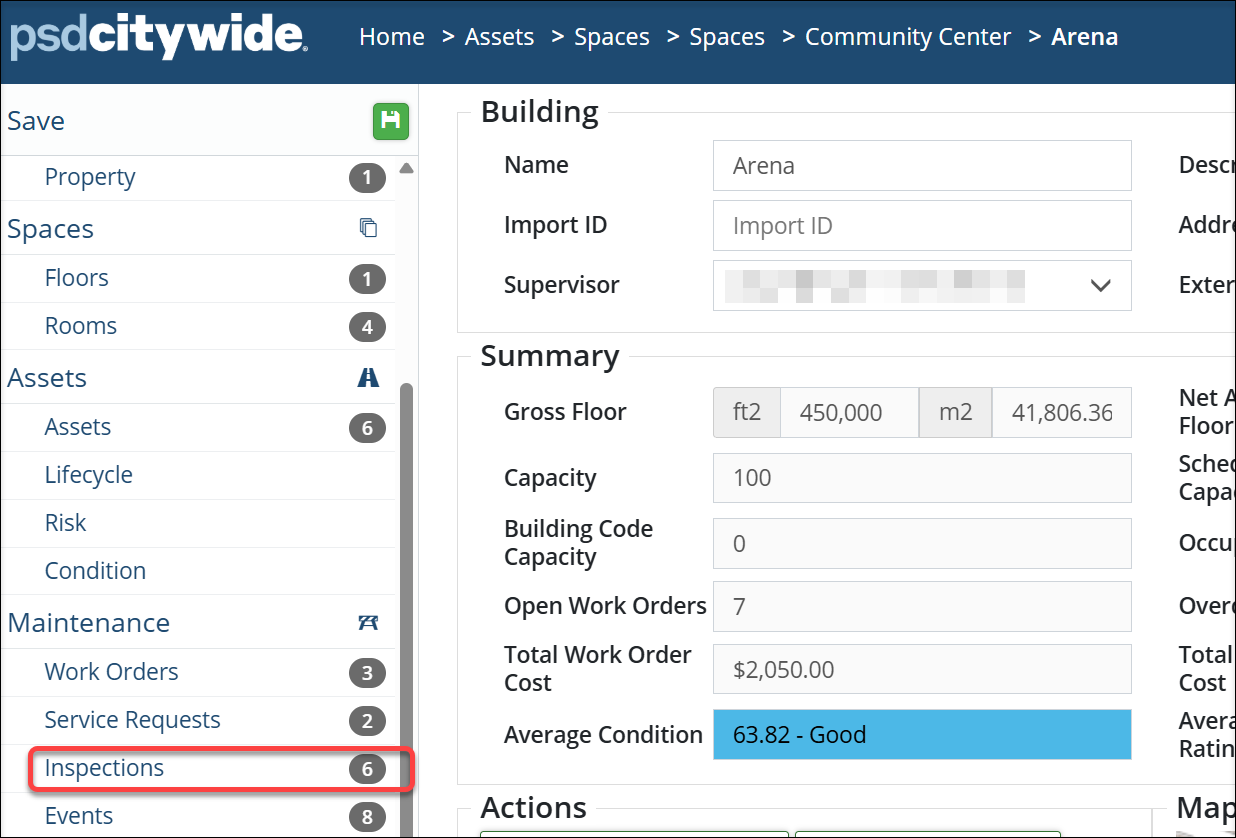
- Select Inspections.
The Inspections section provides a focused view of inspection-related Maintenance activity associated with the Selected Space.
The information displayed includes:
- Work Order ID
- Status
- Completion date
- Inspection result
Users can quickly review the inspection history associated with the Space. 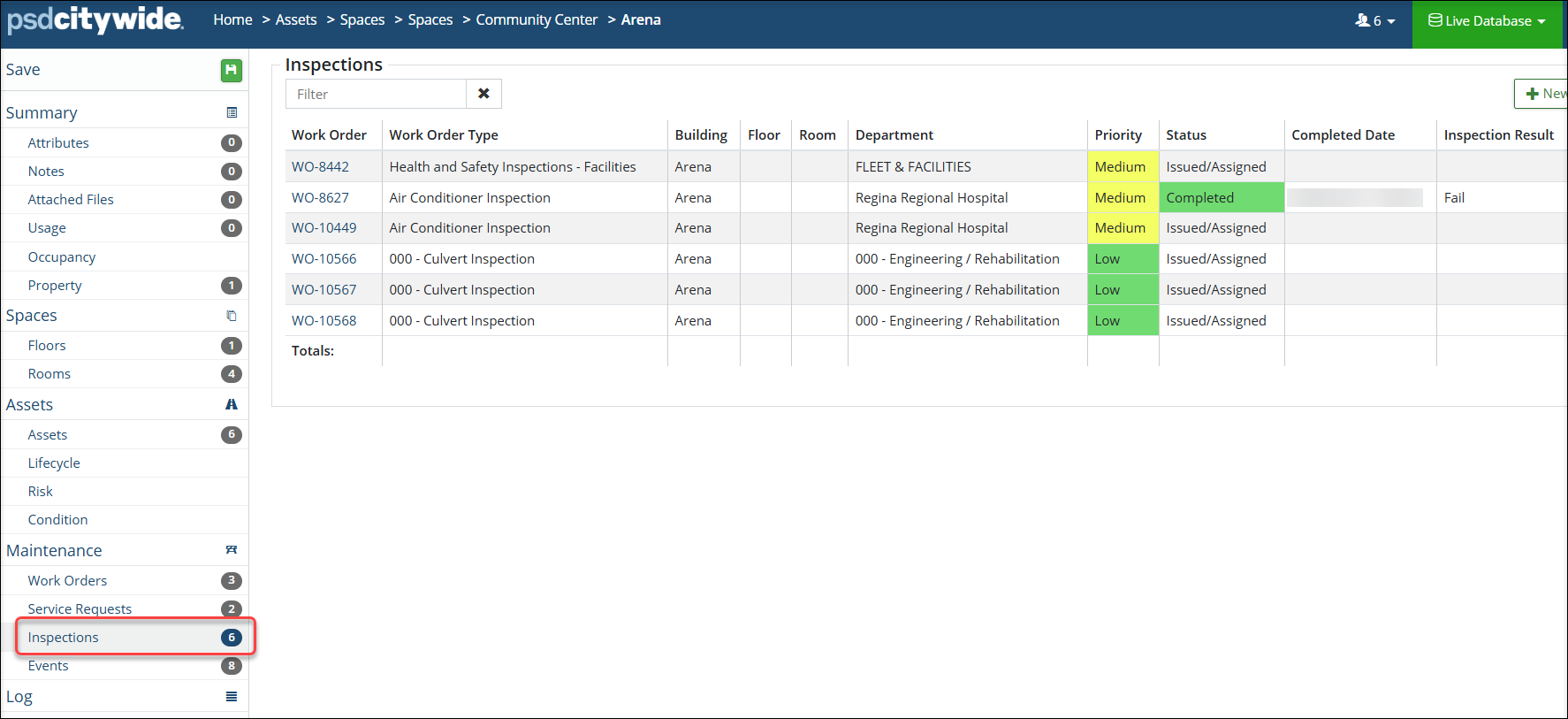
- From the inspection list, select the inspection work order to review it's details.
- The inspection record provides information about the work activity and the result of the inspection.
- Because the inspection is associated with a Space, users can understand the location to which the inspection relates.
- Depending on the Space hierarchy, the association location may identify a broad facility or a more specific location such as a floor or room.


