

Events (Spaces)

Last updated: Oct 16, 2026
Maintenance Events provide a focused view of Scheduled Maintenance for a Space. A Maintenance Event is associated with a Space through an asset. The asset must be associated with the Space and be included in the applicable Maintenance Schedule for the Event to appear in the Space's Maintenance Events view.
The Maintenance Events view depends on the relationships configured between Spaces, Assets and Maintenance Schedules.
For the expected Maintenance Event to appear:
- The Space must be configured.
- The relevant asset must be included in a maintenance schedule.
- The maintenance vent must be generated for that asset.
Asset to Space relationships are important when using Spaces to manage Preventive or Scheduled Maintenance. 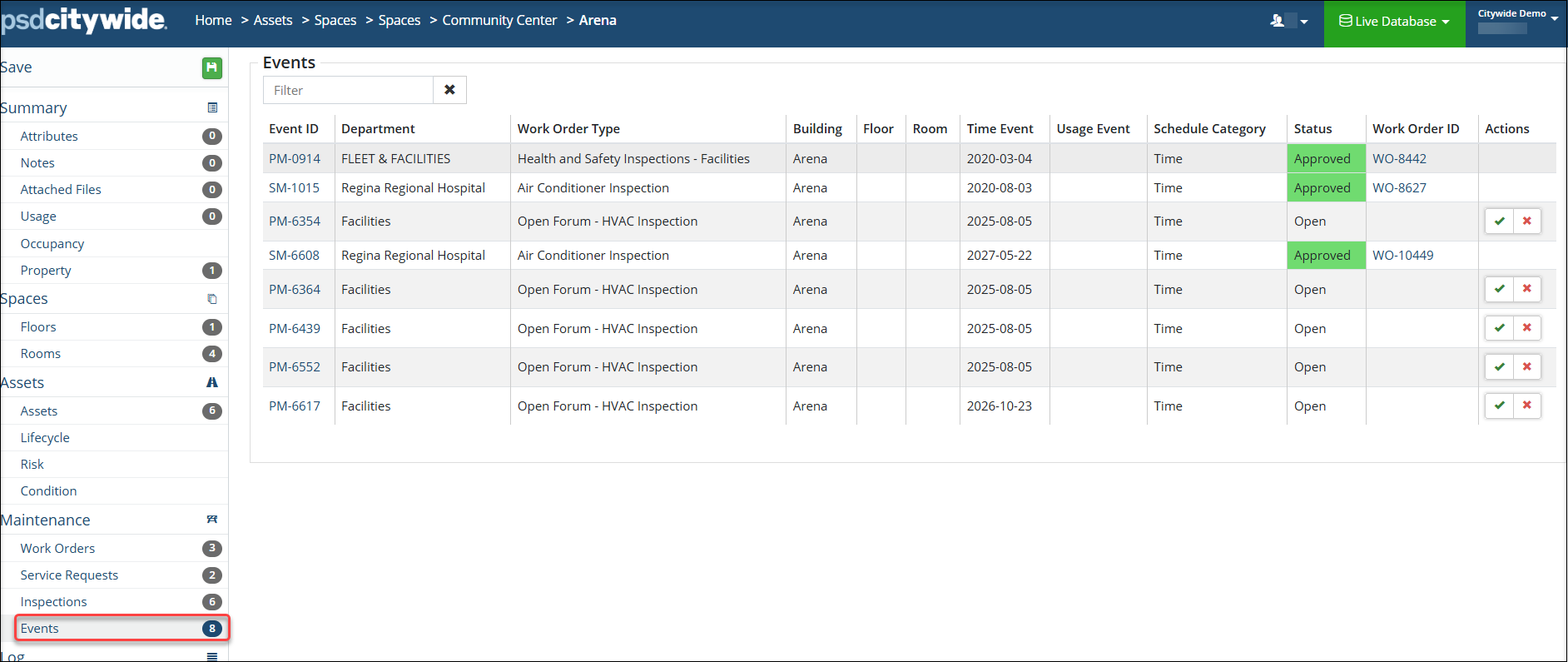 The Events information display include:
- Event ID
- Department
- Work Order Type
- Space
- Time Event
- Status
- Work Order ID
Depending on permissions, users can Approve or Dismiss Events from the Space.


